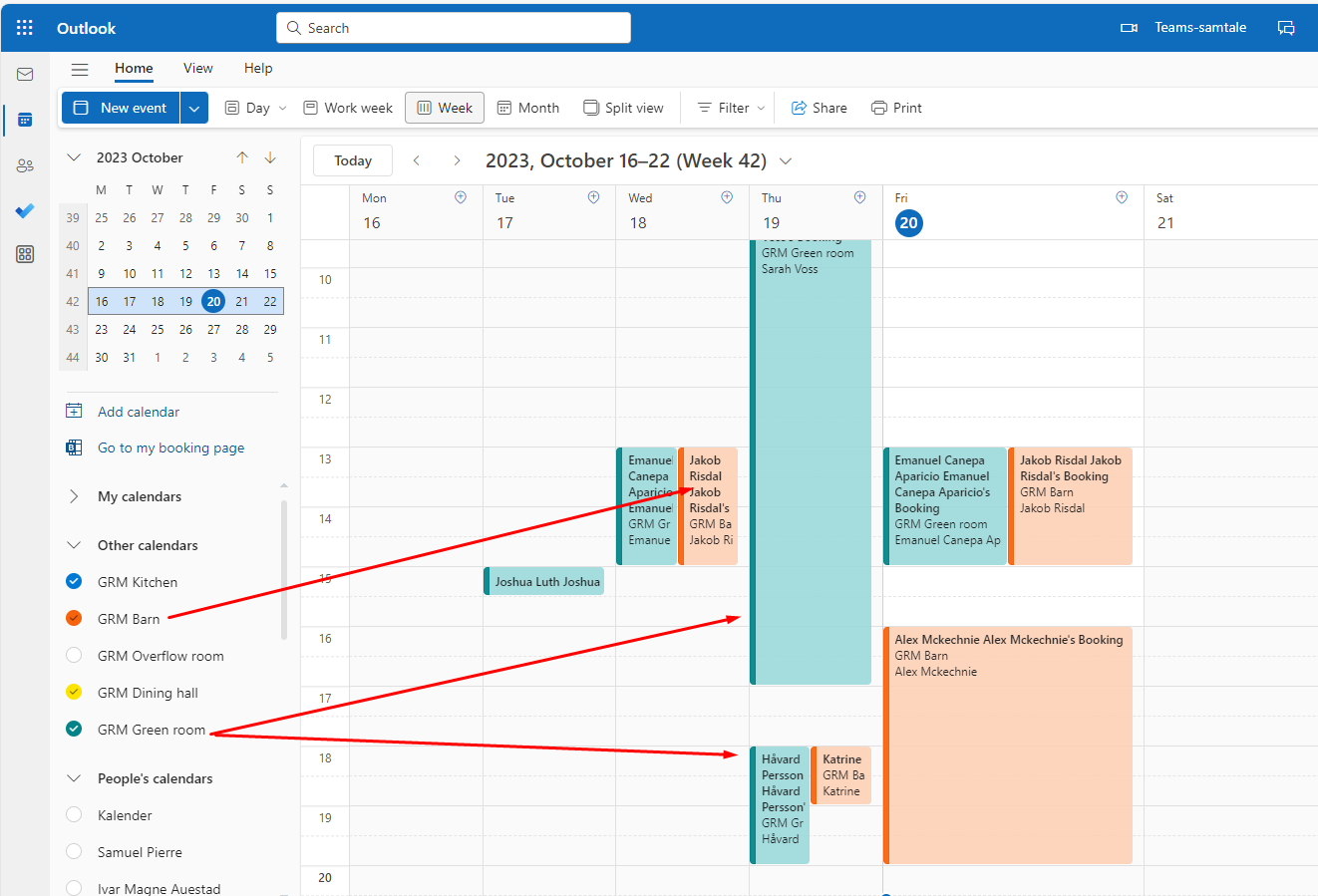
Common rooms can be booked through Outlook, Teams or the meeting room app.
The rooms have their own calendar. One calendar per room. The calendars "lives" in Outlook.
To book a room, use the booking app in Teams, or use your Outlook calendar and book a meeting - there you can reserve the room you want to be in.
To see who has booked a room, you need to open the calendar for that room. (To see all room, you need to open all the calendars...)
You can easilly add a room calendar in your Outlook:
Open Outlook https://outlook.office.com
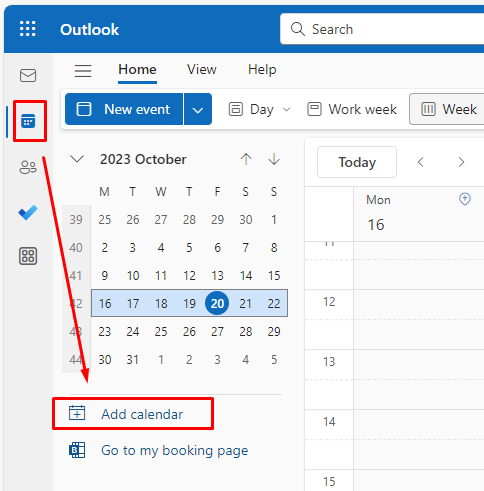
Click the Calendar icon, then click Add calendar.
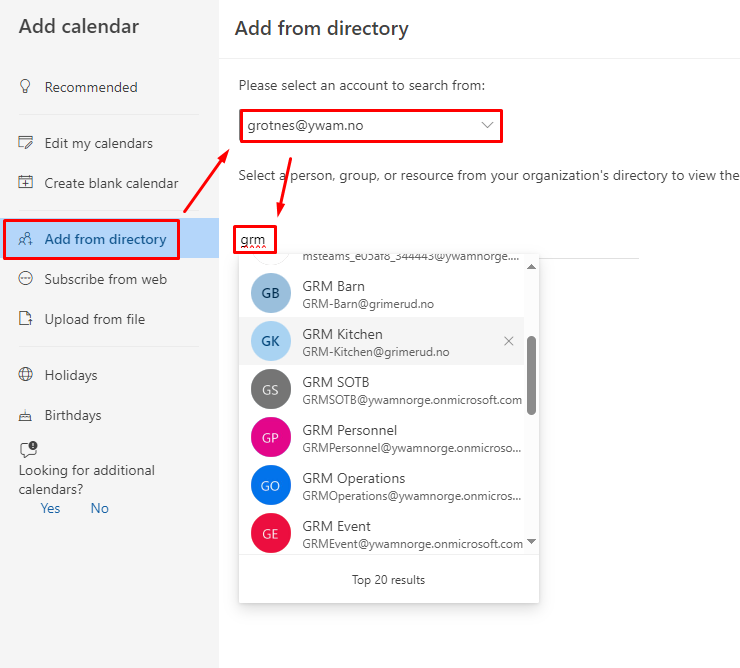
Choose to add calendars from directory.
Select your email address.
Start typing the abbreviation for your base (e.g: GRM)
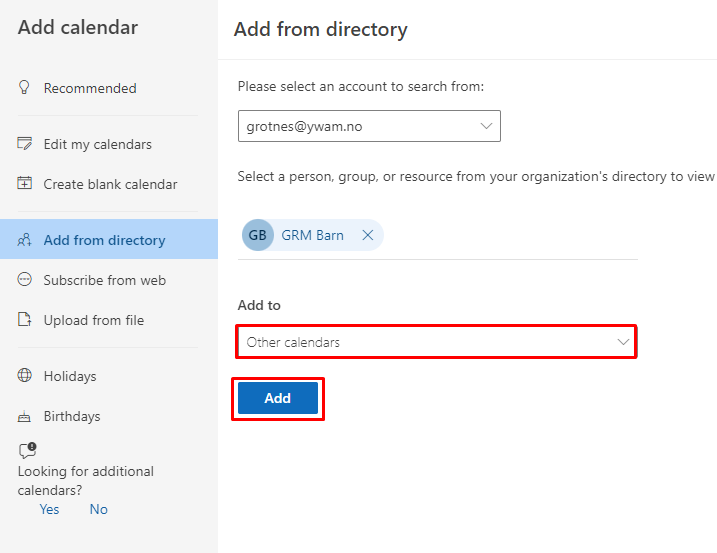
Select where you want the calendar listed. E.g: Other calendars.
Click Add.
Keep adding all the calendars you want to look into.
When done, close the window to go back to the calendars.
You will now see many calendars in your "Other"-list. Tick the calendars you want to see. They are color coded, so you can see which room is booked by whom.