
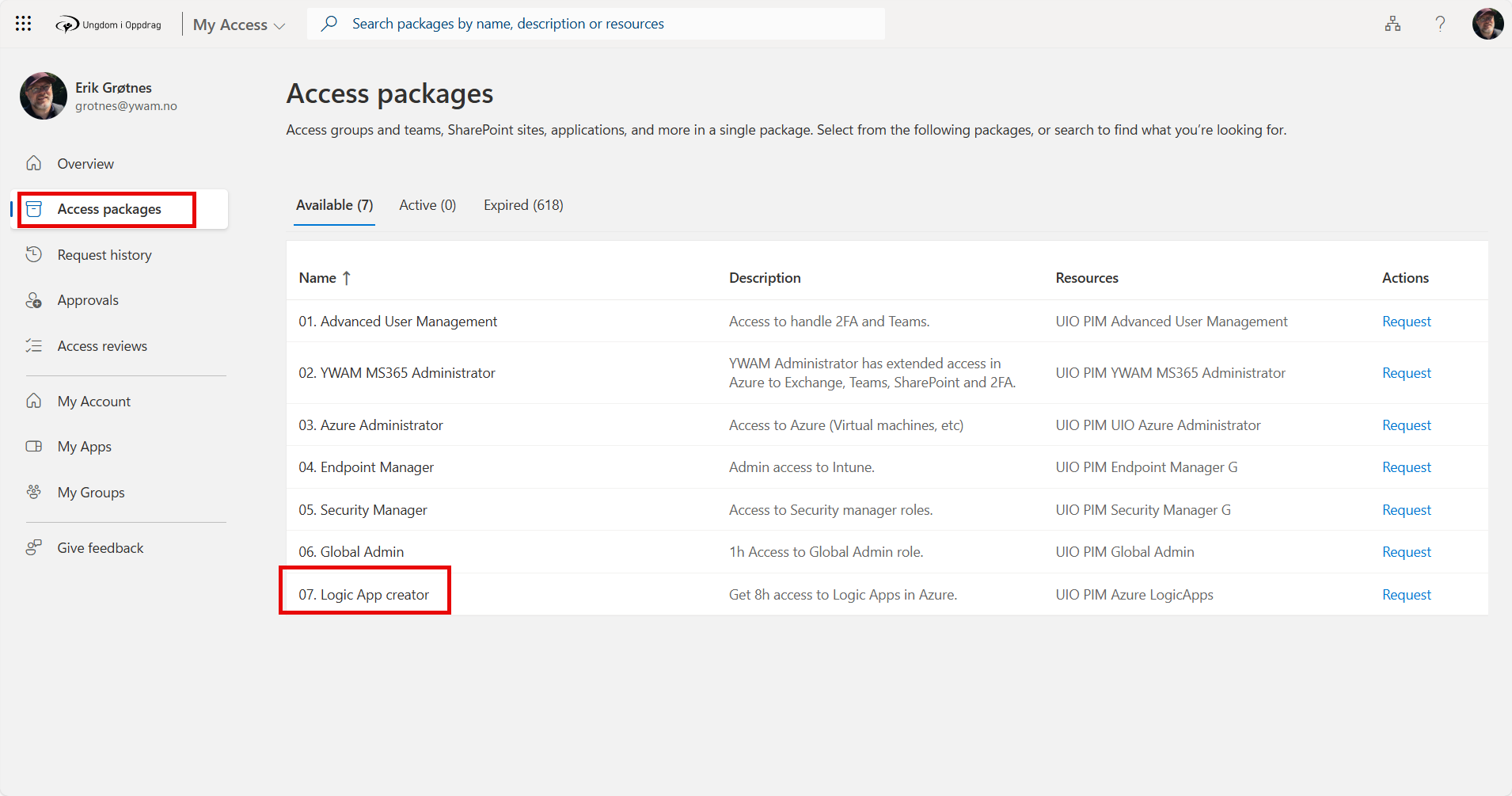
Get your access. Go to https://myaccess.microsoft.com
Log in to Azure: https://portal.azure.com
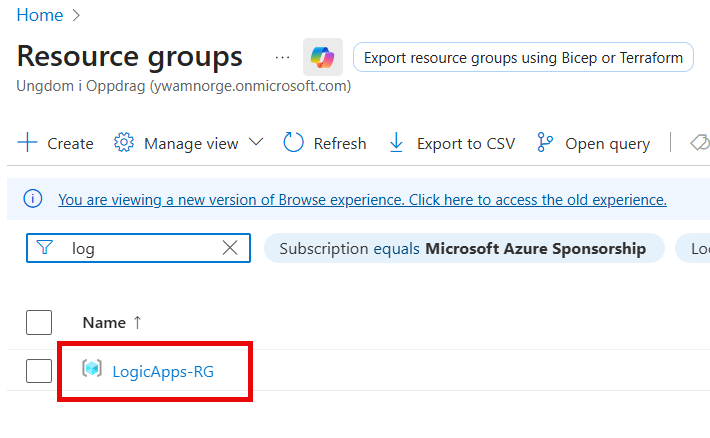
Open the Resource Group for Logic Apps.
The screen will look different depending on if you have logged in before.

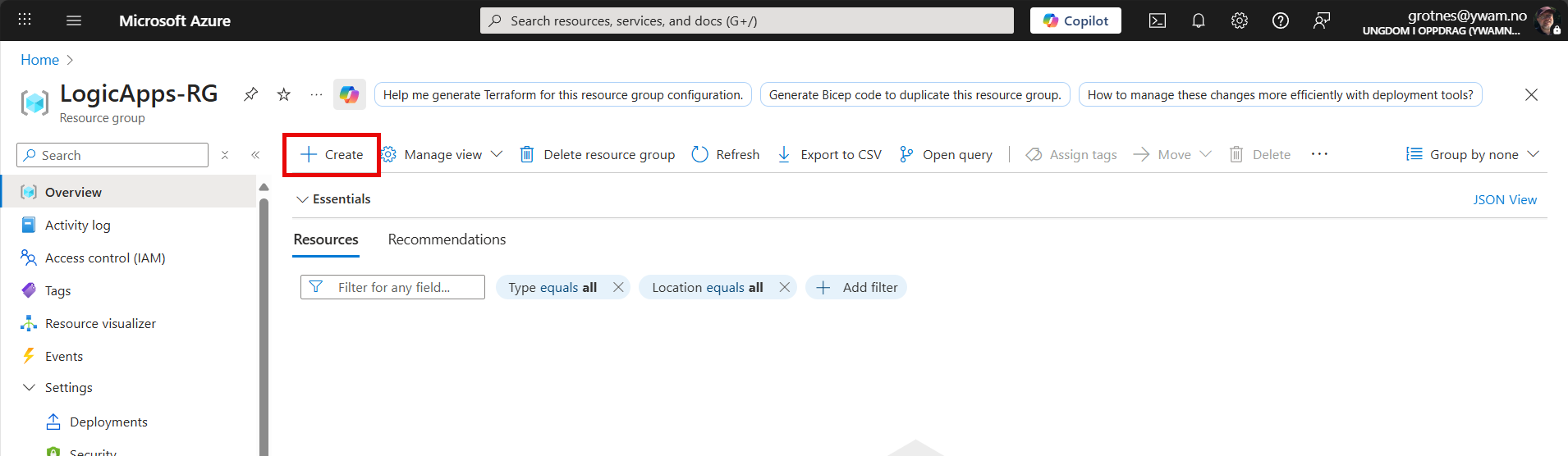
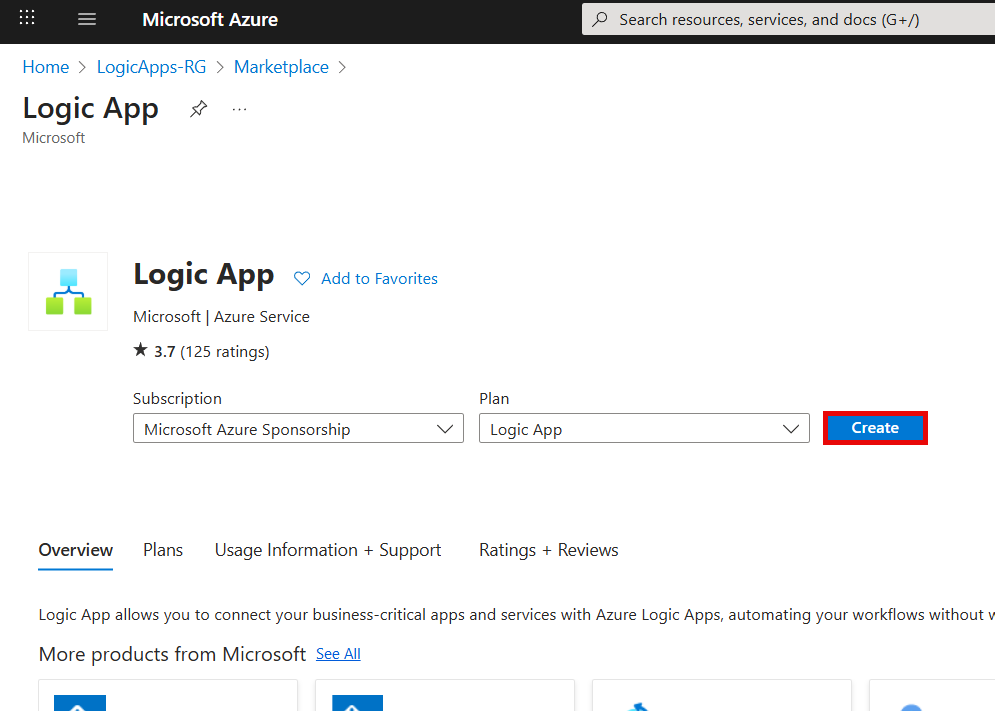
Select to Create a new Logic App.
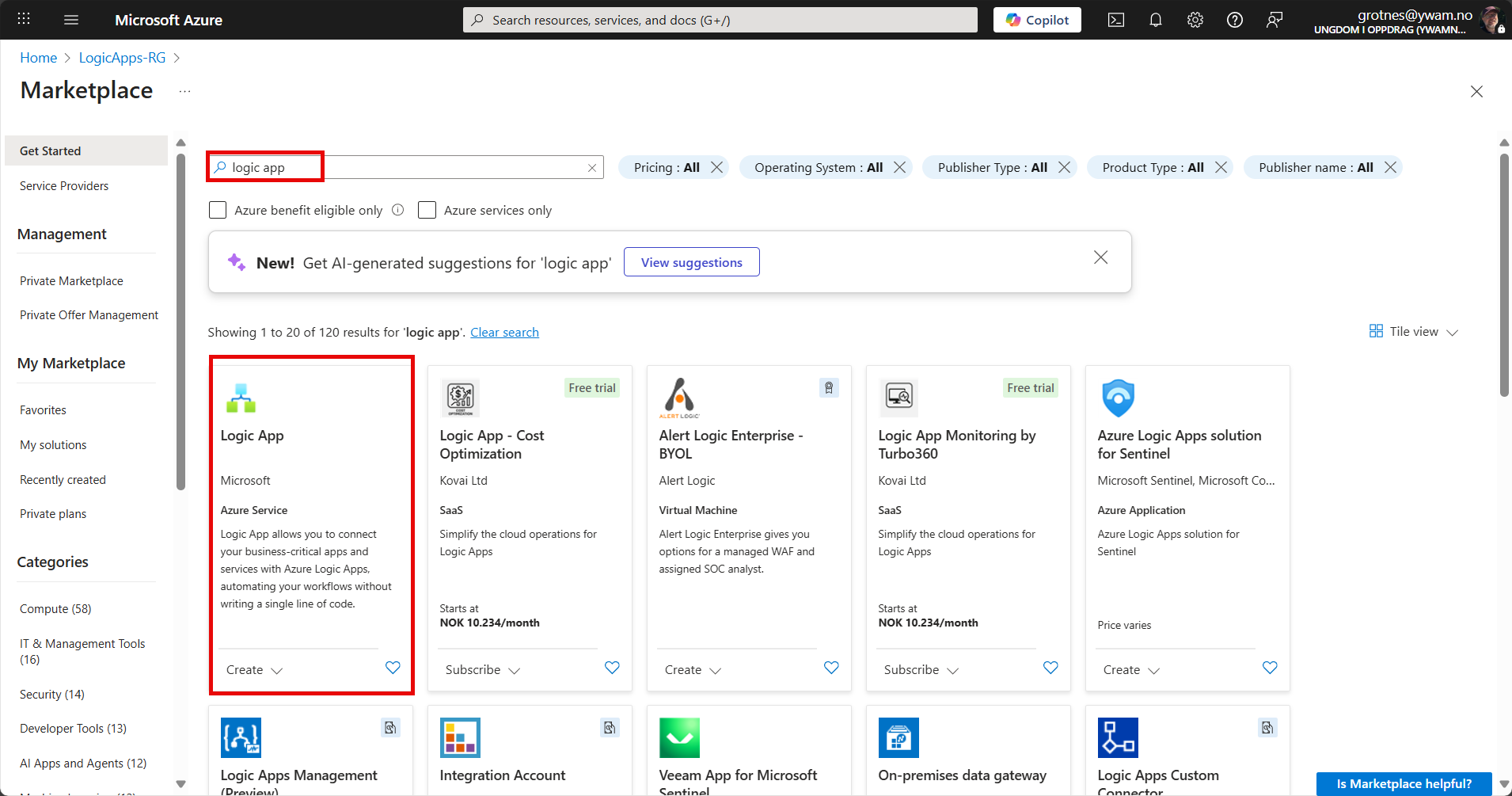
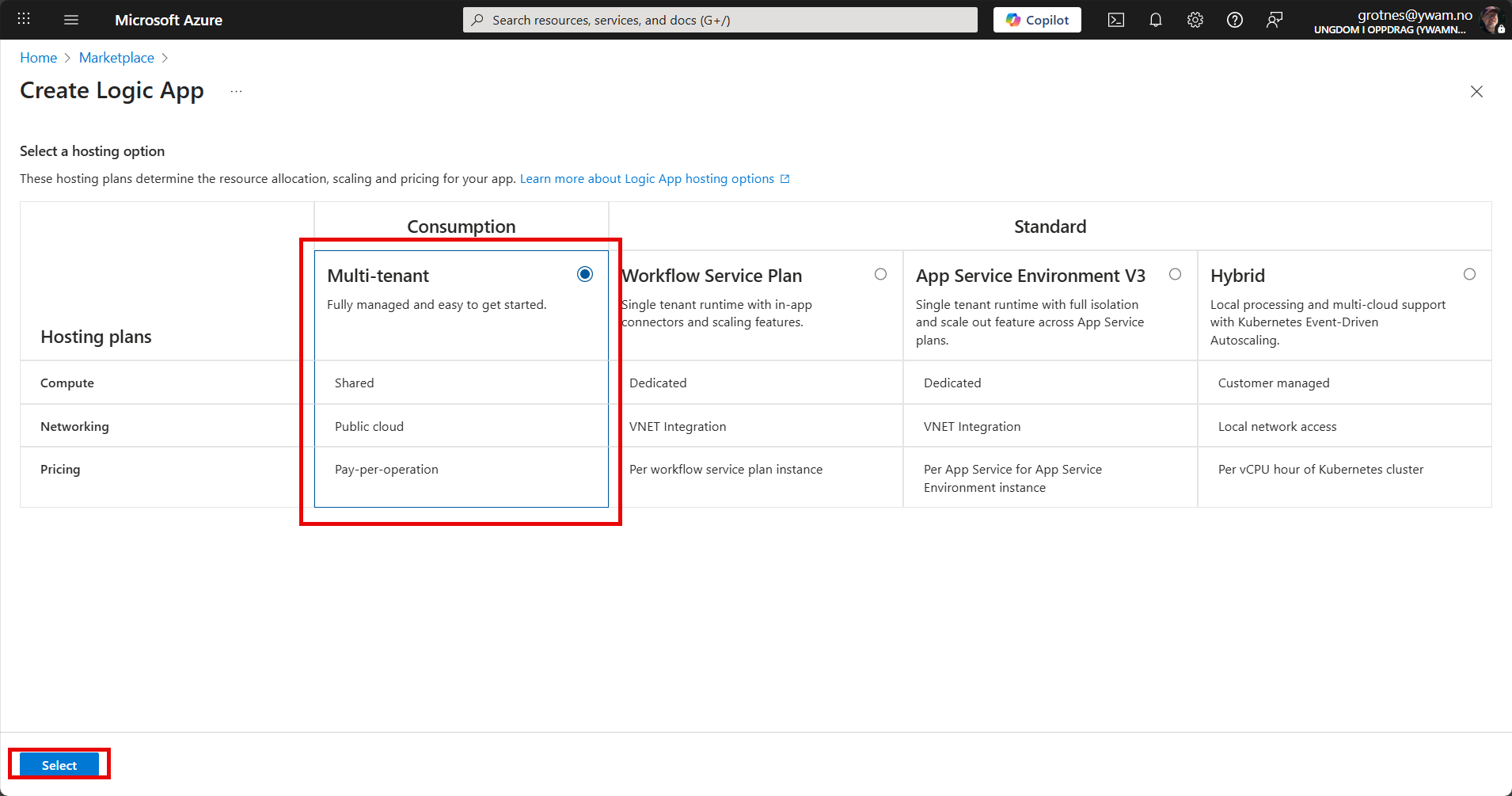
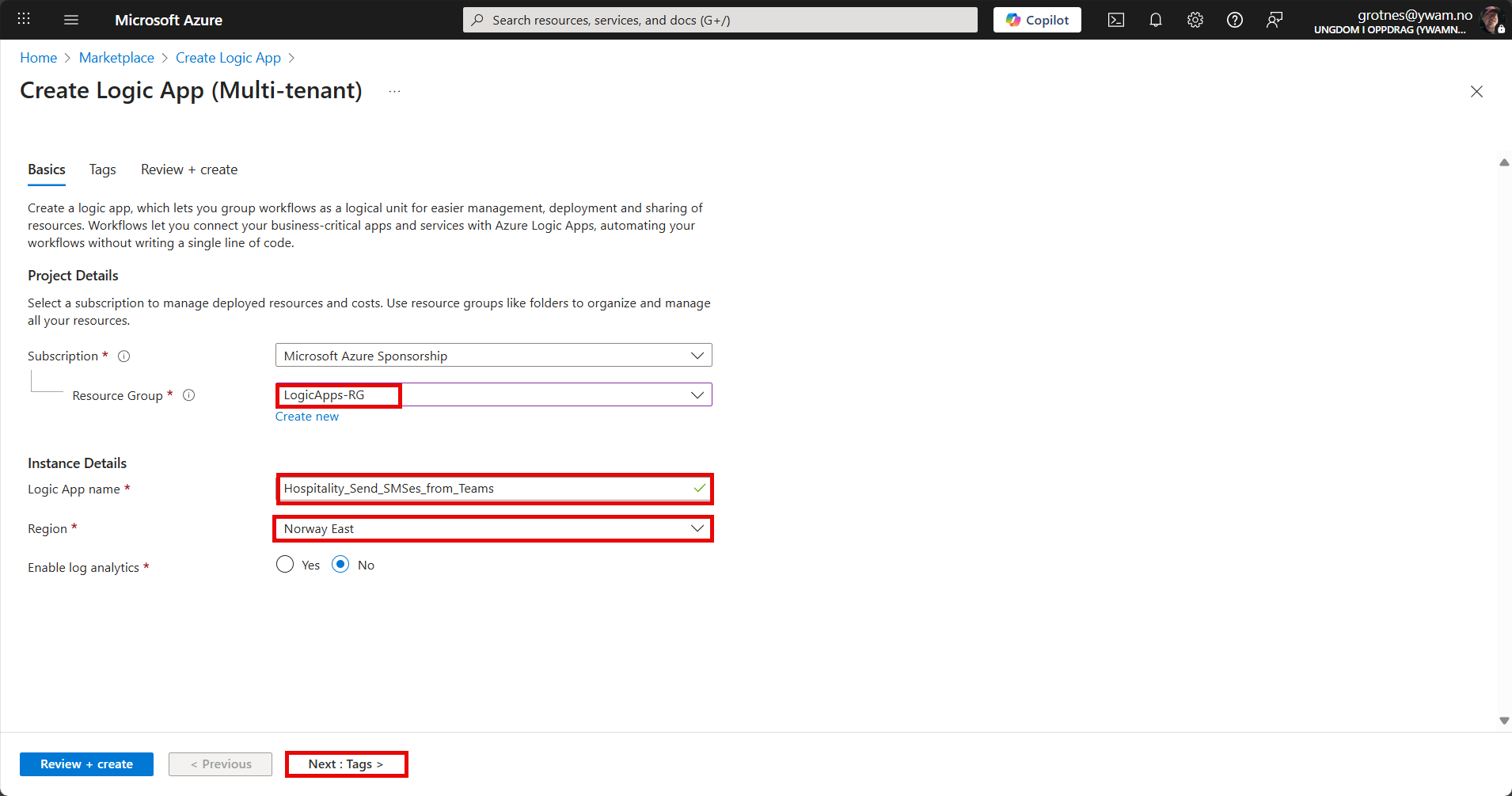
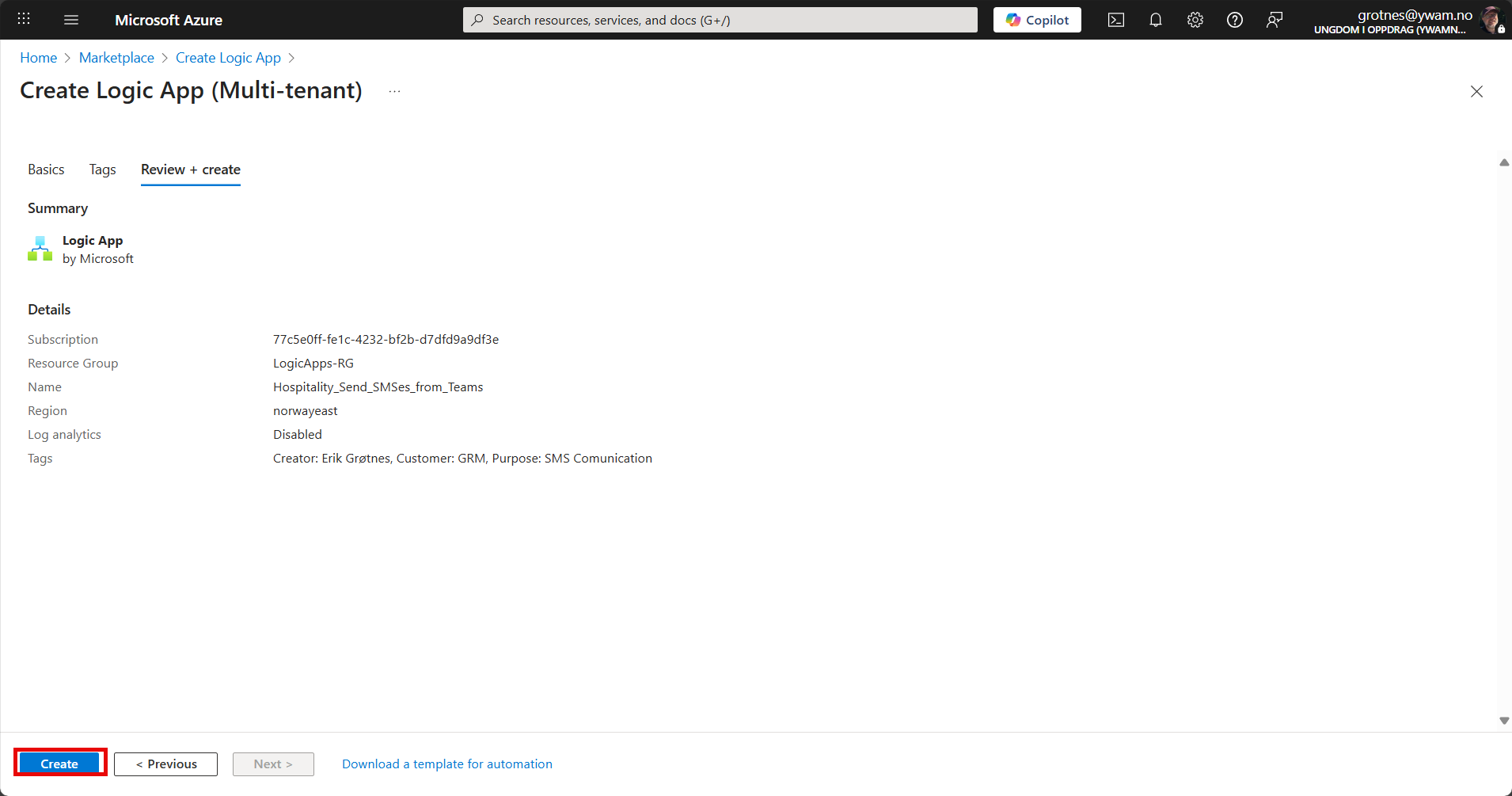
Select the Resource Group LogicApps-RG
Give it a name, starting with a general word to group multiple Logic Apps belonging together.
Select Norway East as the region.
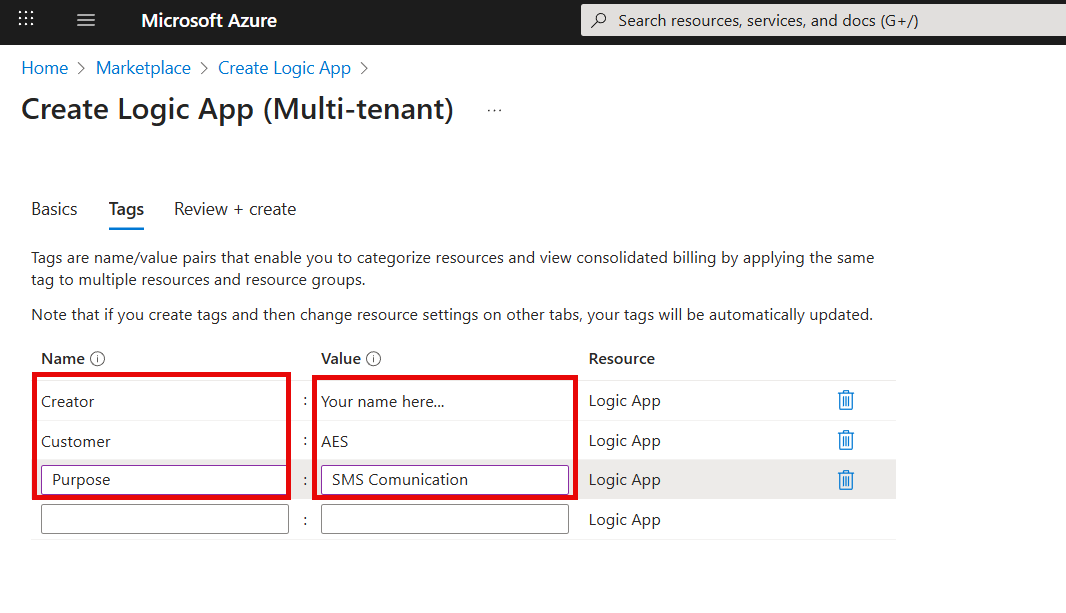
Enter minimum the following tags:
| Tag | Explanation |
| Creator | Your name so that it is easy to figure out who to ask questions about this Logic App. |
| Customer | The Base short-name. In case of extended use, this will be used for billing. |
| Purpose | A 1-3 word minimal description or a keyword that explains the purpose. |
Review settngs and click Create.
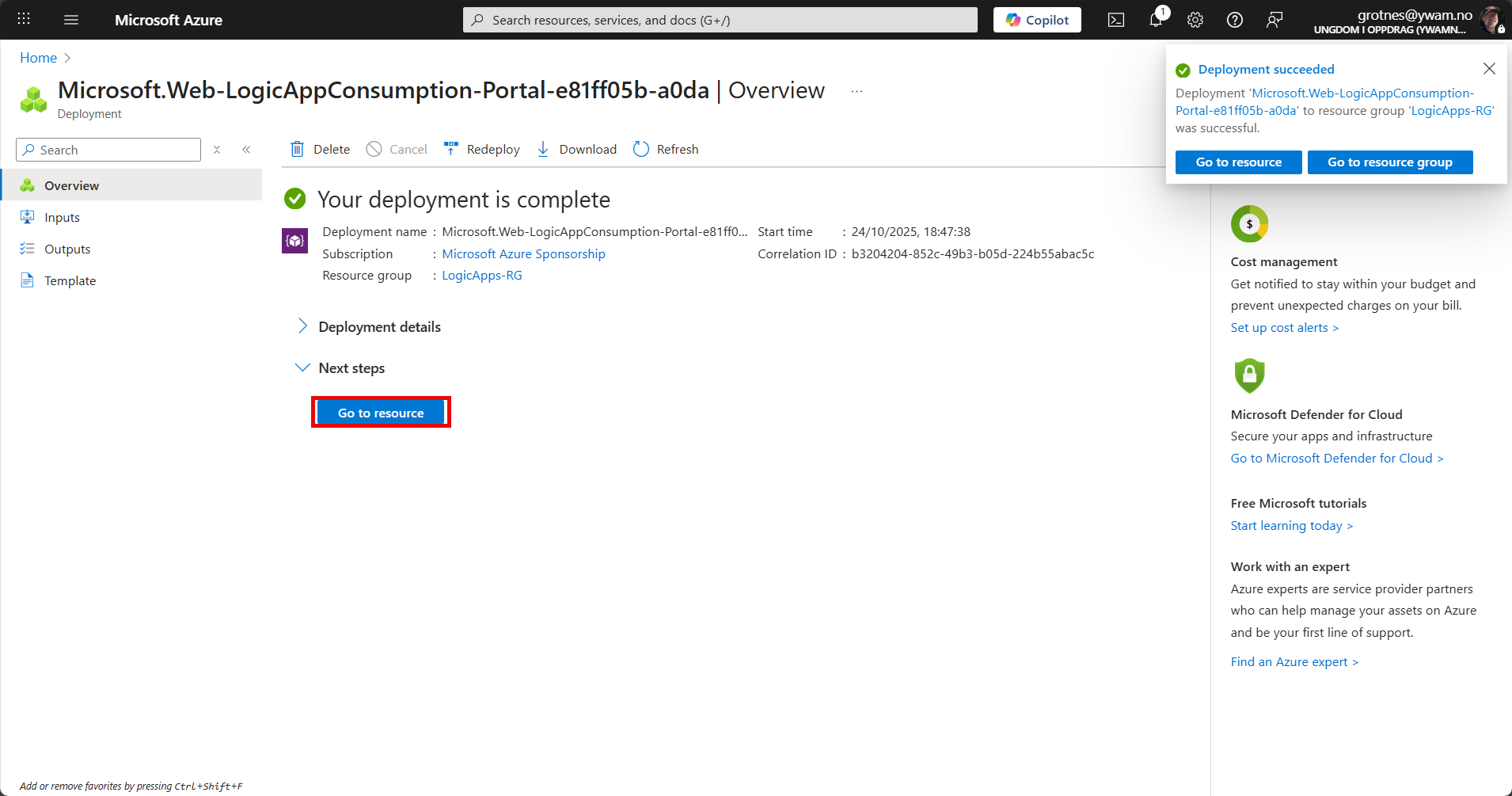
It only takes a few seconds to create the Logic App. Click Go to resource.
Later, you'll find the Logic App when you enter the Resource Group, and you can just click on it to enter it.
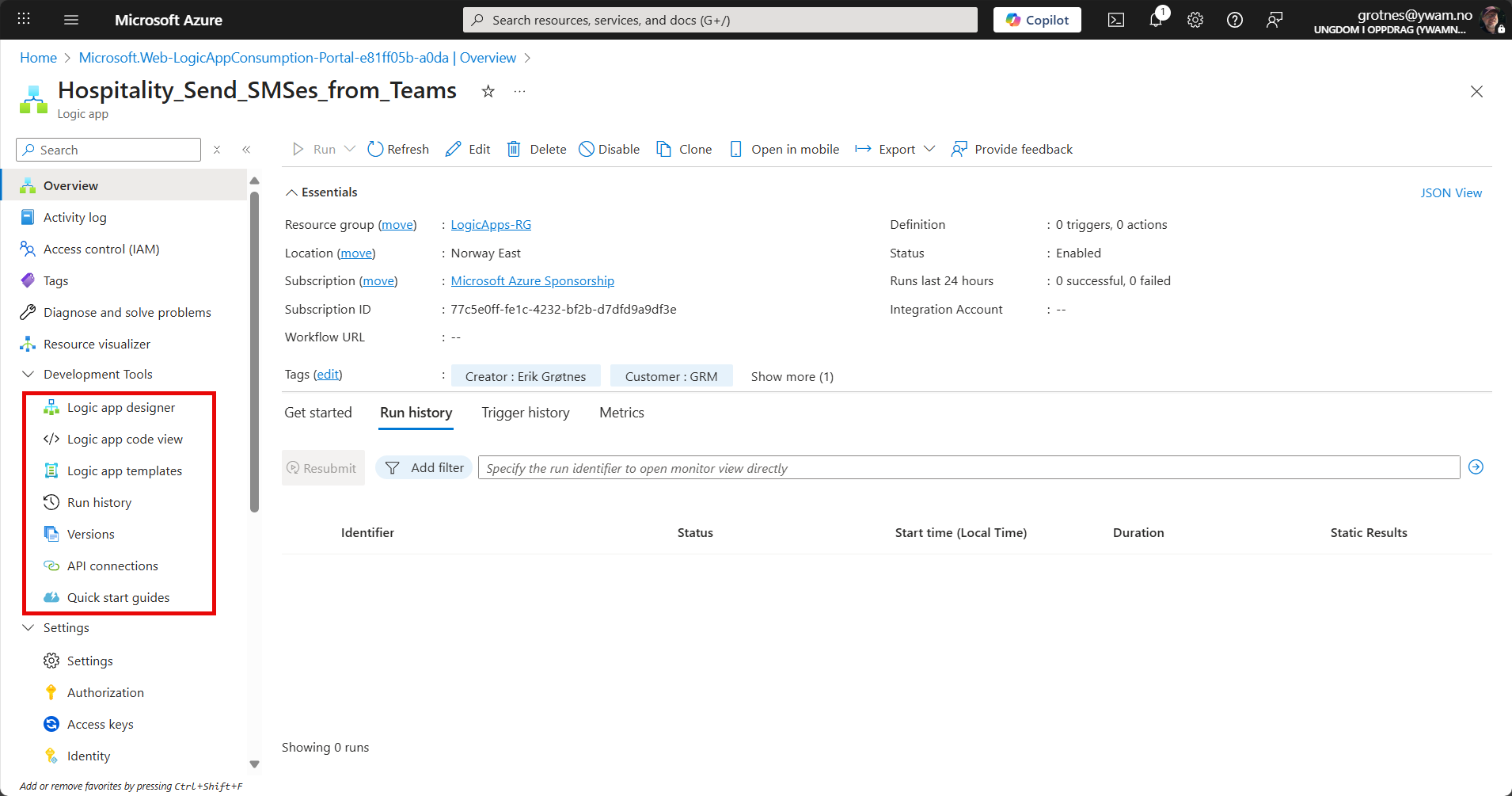
This is where you find the tools you will normally need.
TIP!
I prefer auto-extending all menus so I don't have to click them all to search for what I need.
Click the cog...
Here you can also find Dark mode.
