All users have by default a read-only license.
Here is a rundown of the different types of licenses, and what they provide.
| License type | Needed for |
|---|---|
| Core seat | Daily usage. Emailing, editing... |
| Sales seat | For the more advanced features, template access, HubSpot calling (which does not work) |
| Calling seat | Can be booked via this link: "Here", Which has to be done 24 hours before calling |
To be able to edit contacts, you need the Core license.
If you plan to send lots of emails or use the templates, you need a Sales license, which has access to templates.
Calling does not work as intended after 2024 because of restrictions from the phone providers in Norway.
To call students you need to book a phone number. For this, please use our FAQ section.
Most staff do not work 100% with student applications - they participate in base meetings, training, praying and worshipping. The schedule is different on the different bases, so we share the licenses, and book them (for as short periode as possible) when needed.
However, if you work close to 100% with applications, you can have a fixed license.
In addition to licenses, you also need access to the "correct applicants". All our applications comes in to HubSpot, and they are separated by base and school. If you can not access the deals, you might have been set up to see the wrong school or base. If that is the case, contact it@ywam.no, and we will set you up with the correct teams.
The ultimate HubSpot Guide
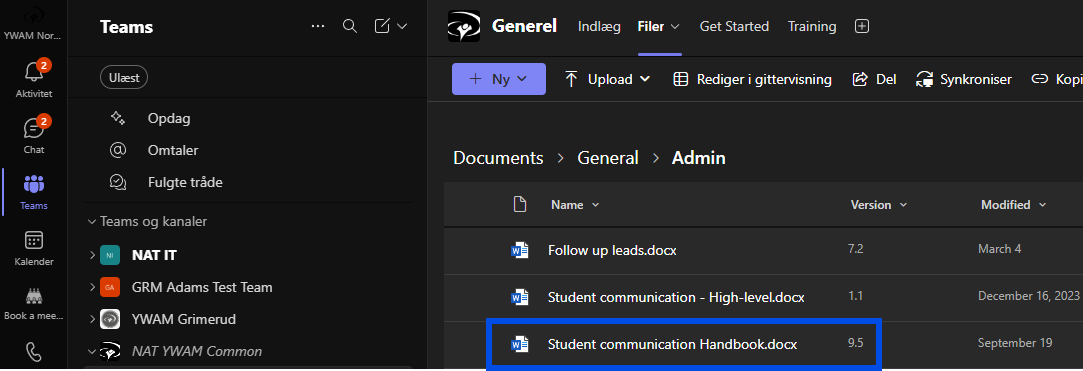
Directions to the guide, can be found in the "Student communication Handbook" which is continuously updated.
We highly suggest to read the whole Handbook, since everything or any question you might have about HubSpot is answered there.
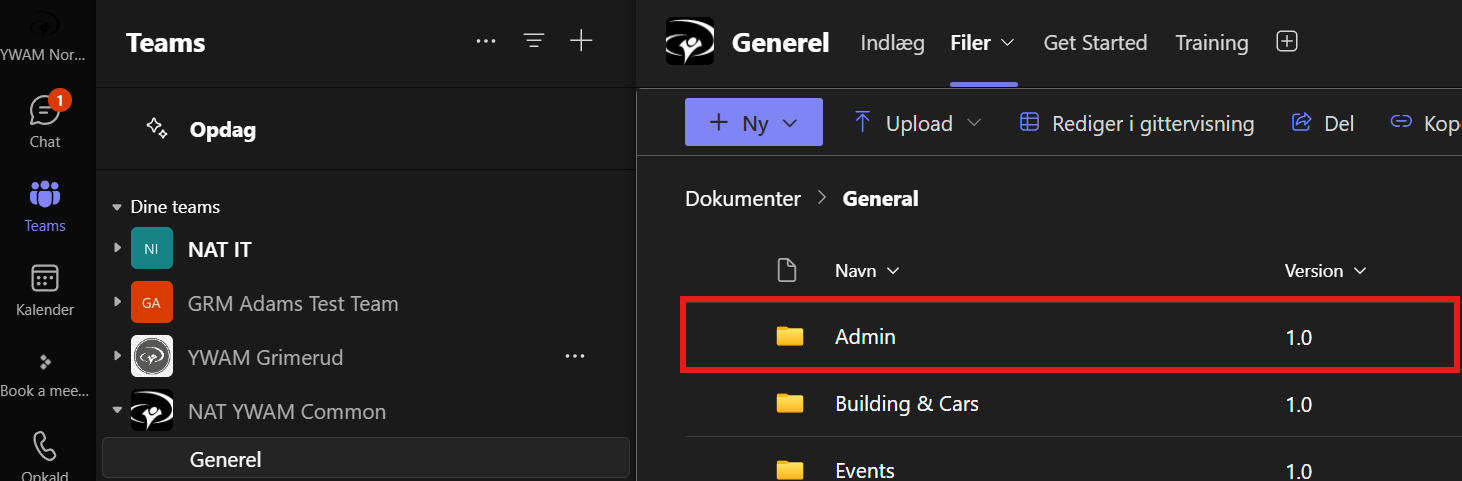
The Handbook can be found in Teams:
Teams team NAT YWAM Common -> Documents -> General -> Admin -> "Student communication Handbook"