When a presentation room won't not be used for a week or more, you should deactivate the ProPresenter seat.
This rule applies when there are 5 less than available seats left.
If you are an admin, the process is explained further down the guide.
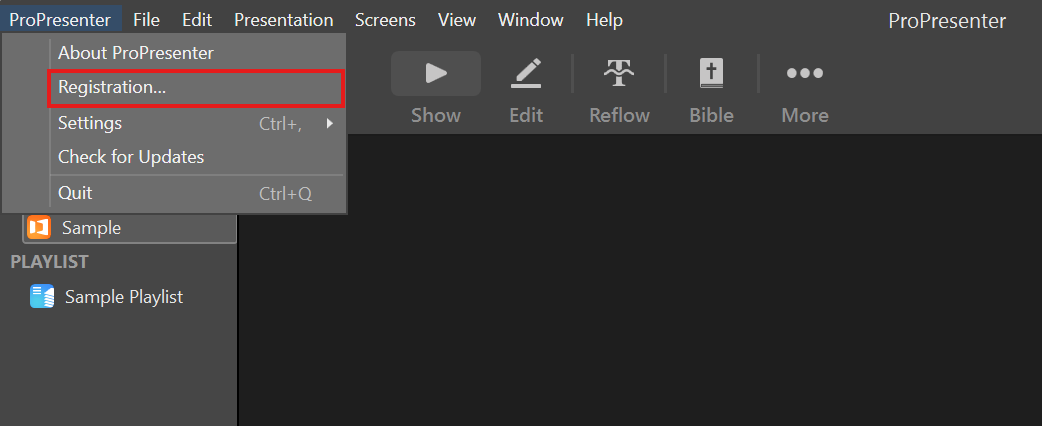
When inside the ProPresenter app, you click "Registration" in the top-right corner.
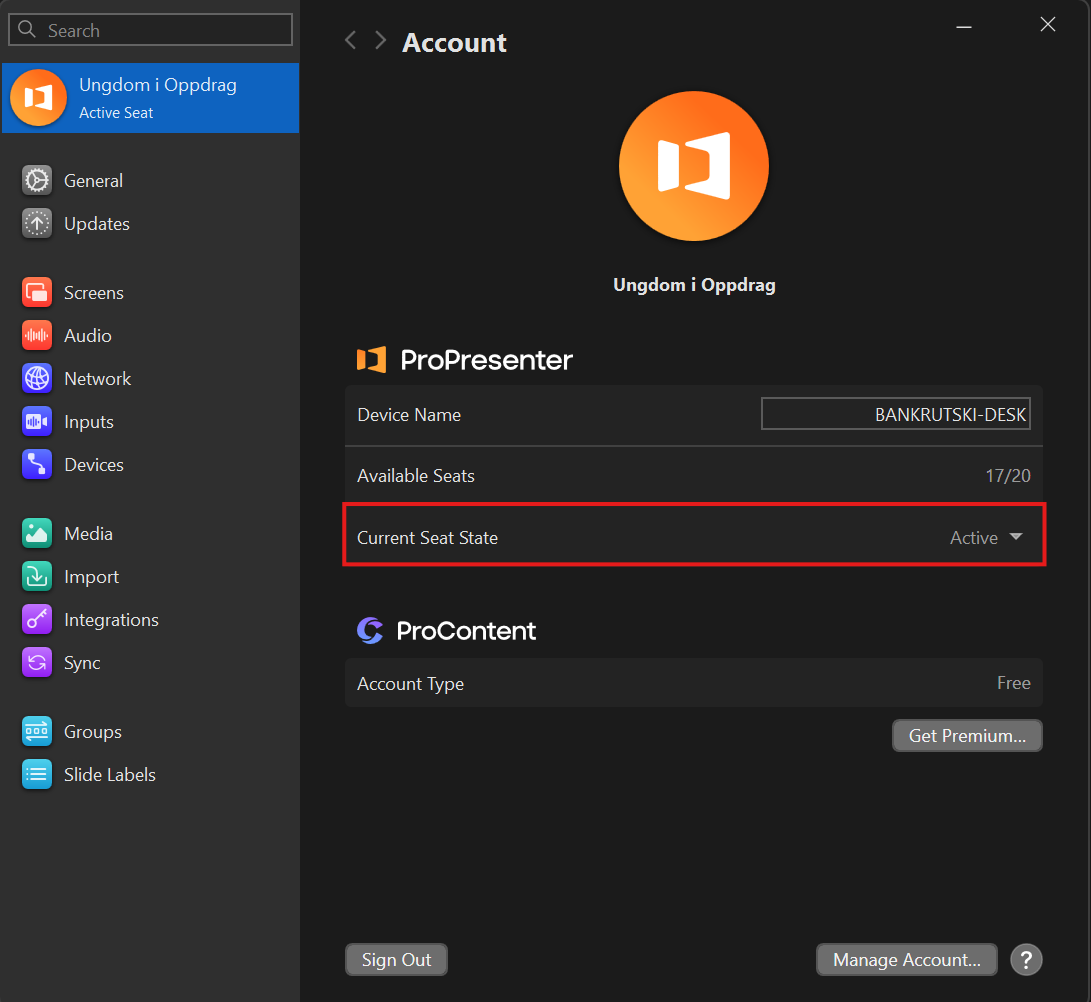
Here you click the highlighted dropdown and turn the seat on or off as needed.
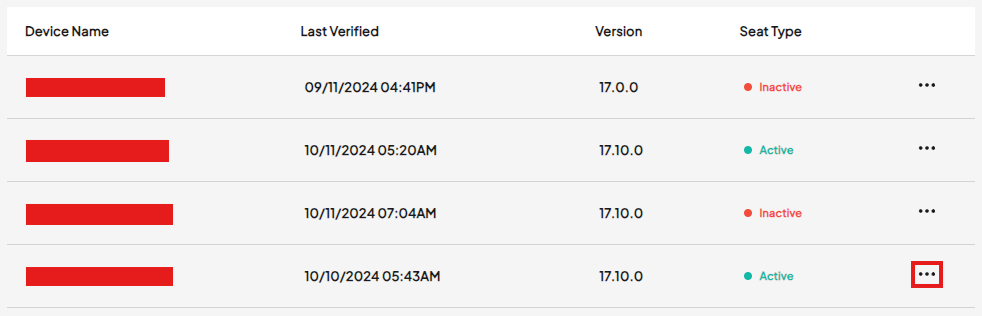
Changing available seats as an admin
Log in with your admin account below you can deactivate, but not activate seats
https://accounts.renewedvision.com/products/propresenter
Click the 3 dots, and "deactivate"