
Planner is Teams to-do list.
This works for both Staff(Normal accounts) and Students(Guest accounts).
Guest accounts and Staff accounts can make new assignments, edit assignments, etc.
Planner only works if you are in public channel in the team like "Generel", otherwise Planner wont be created in the team.
Go to an Public channel in your Teams team and click the "Box with the +".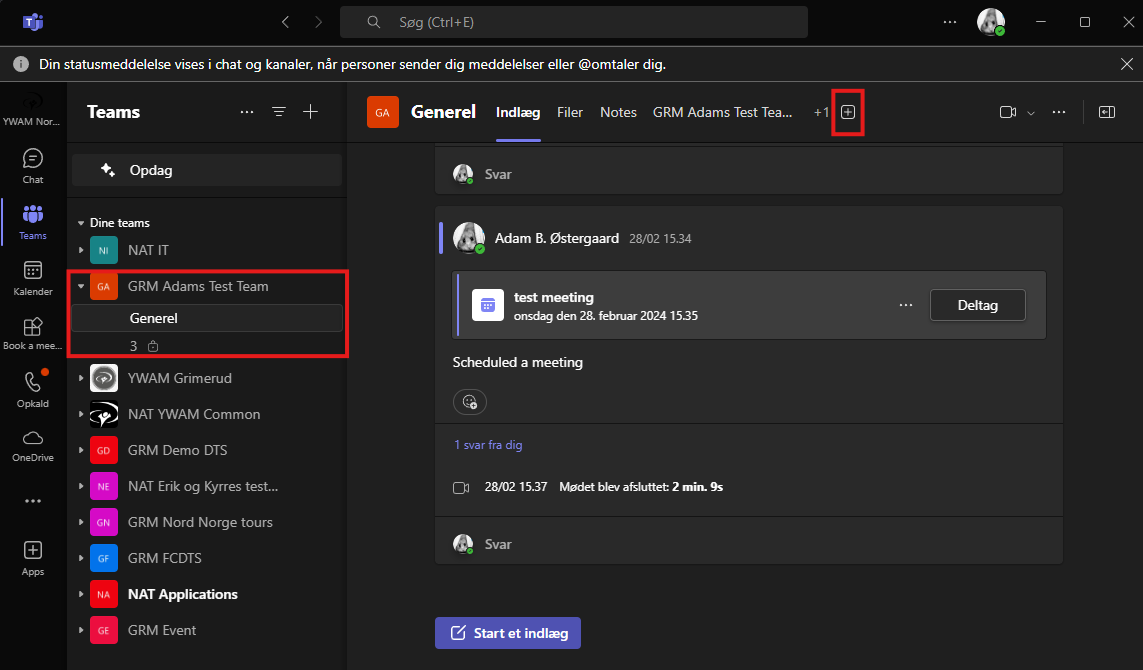
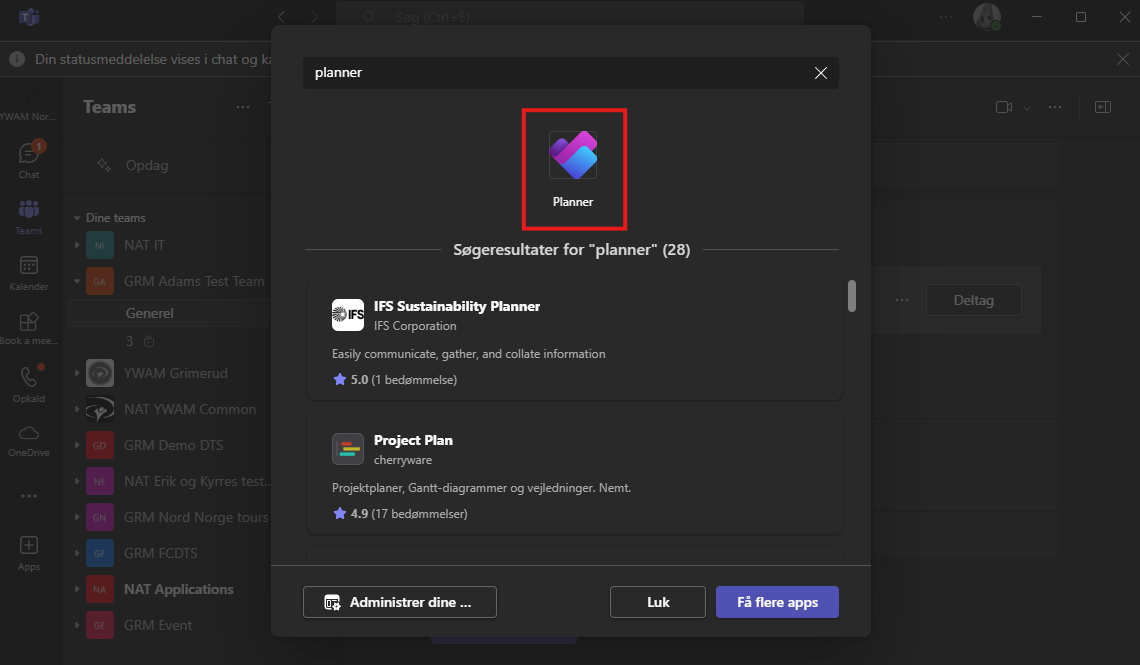
From here search for "Planner" and add it.
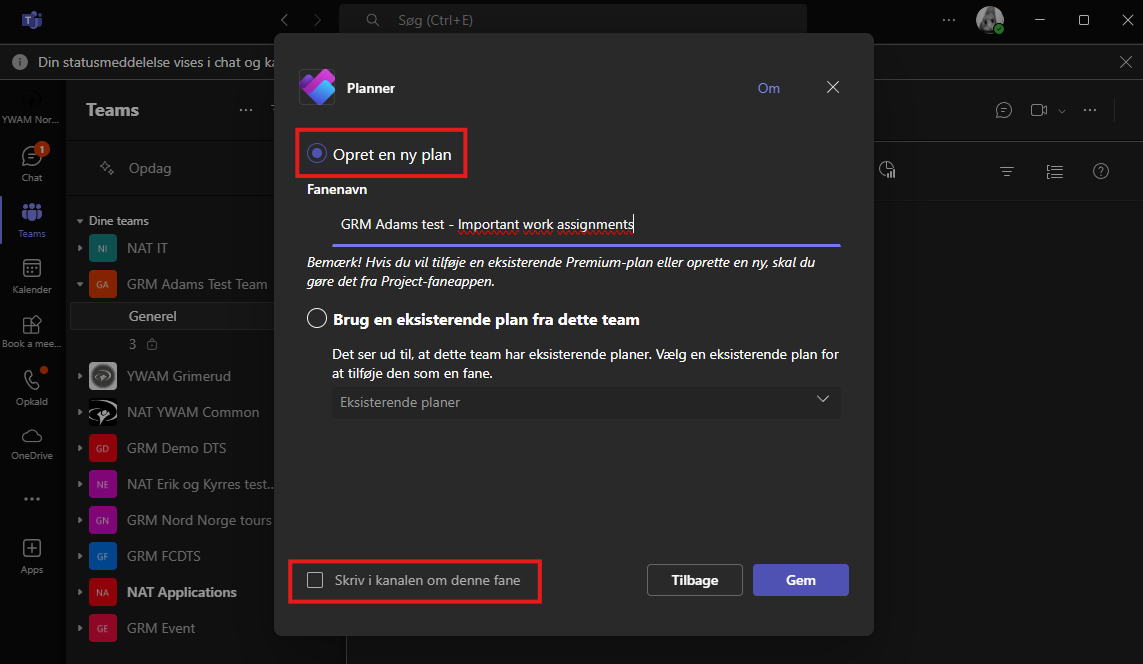
From here you write the name of the "Tab" that will show along "Files" and other apps in the team.
When naming the Planner, make sure to name it the same as the team, then it is more "clean" for people who already use Planner. In this case the Planner is called it: "GRM Adams test - Important work assignments".
Make sure to choose "Create new plan" and uncheck "Write in the channel about this tab".
From here you can make the general setup of your planner of adding tabs and assignments:
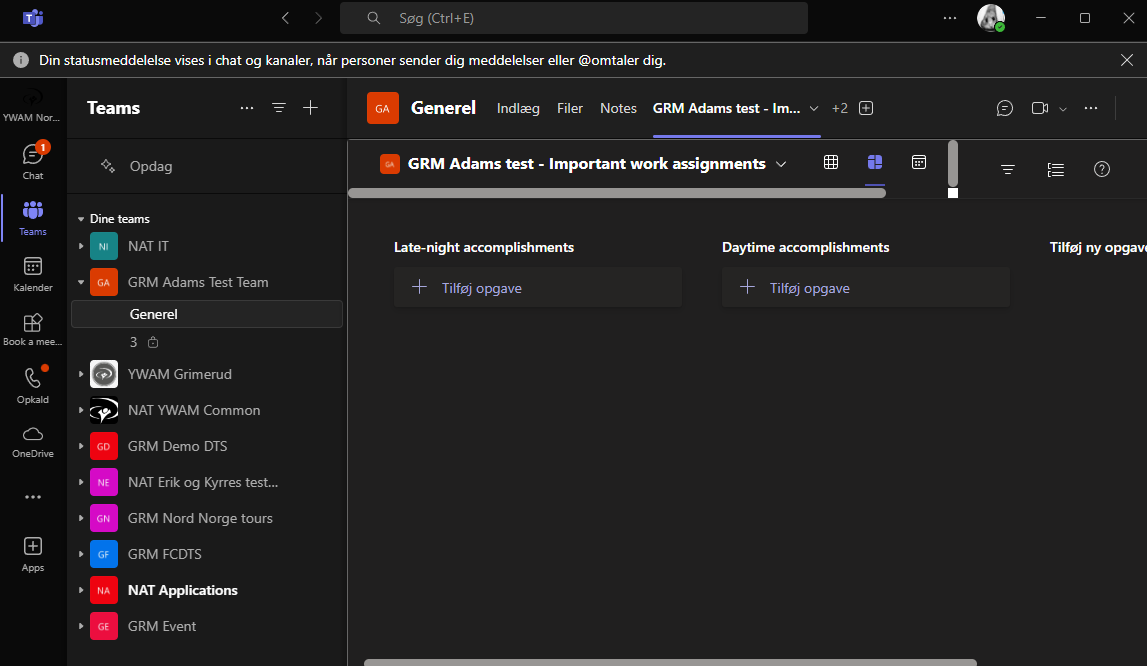
The Assignments can be deligated, deadline and sub-assignments: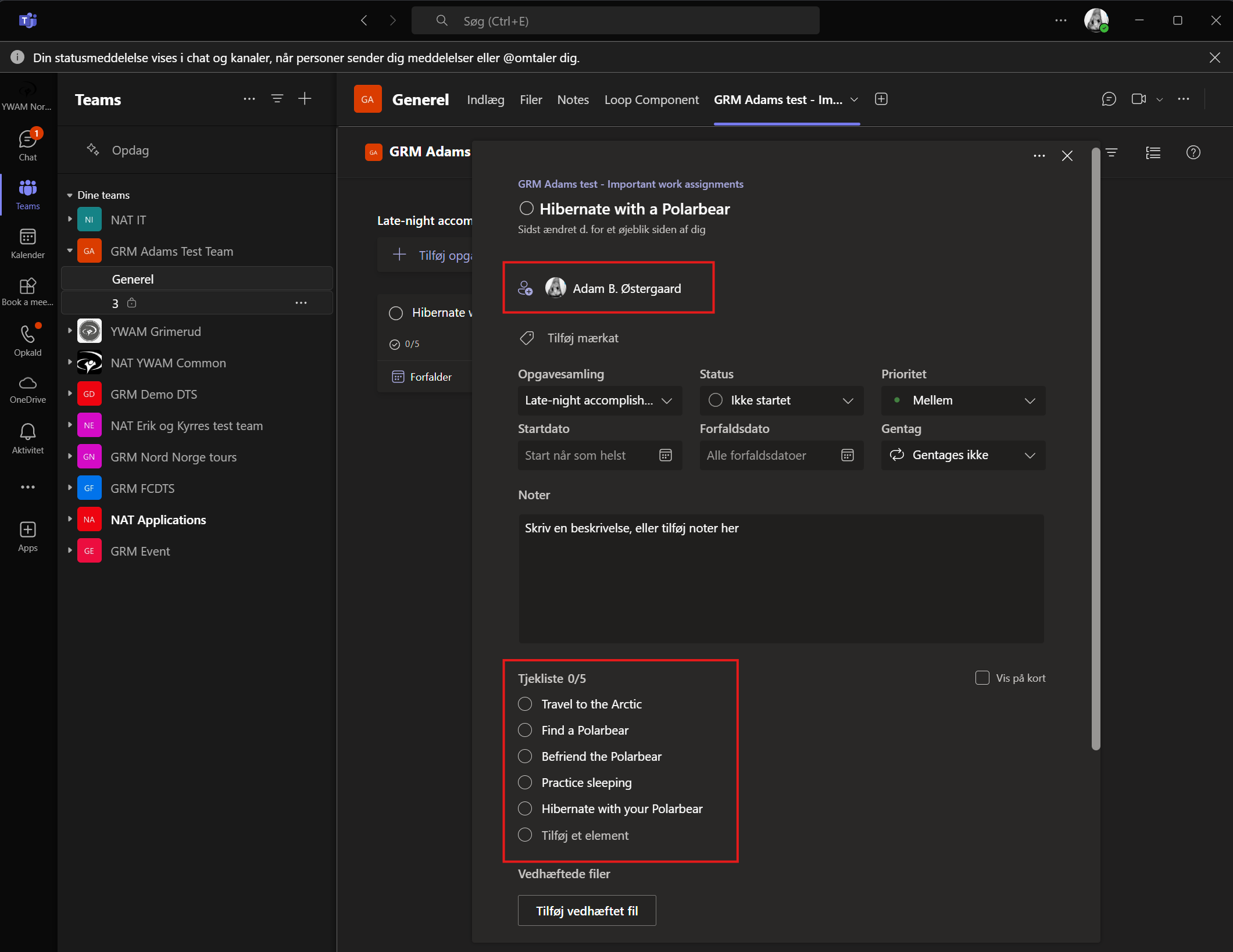
You can also drag and drop assignments.
This way you can make areas with cleaning as an example: Kitchen, Living room, Bedrooom.
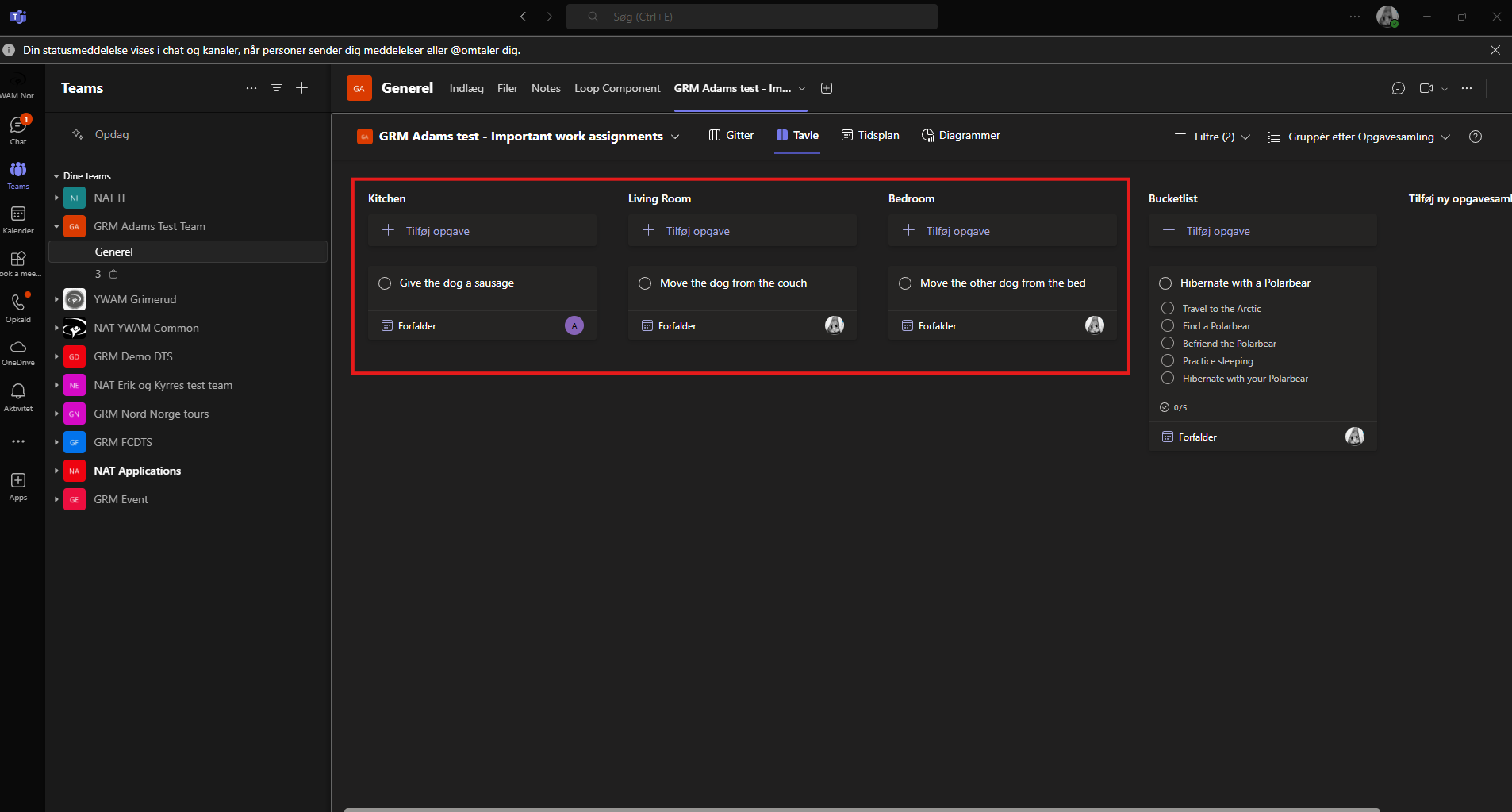
There are a lot more options, but this is the basic rundown of how to use Planner.