
If a Reference submits a reference, but there is something wrong so that the reference is not attached to the correct Application, this job must be done manually.
1. Log in to FormStack Forms.
2. Open Forms, go to Common, open the Common Reference Form.
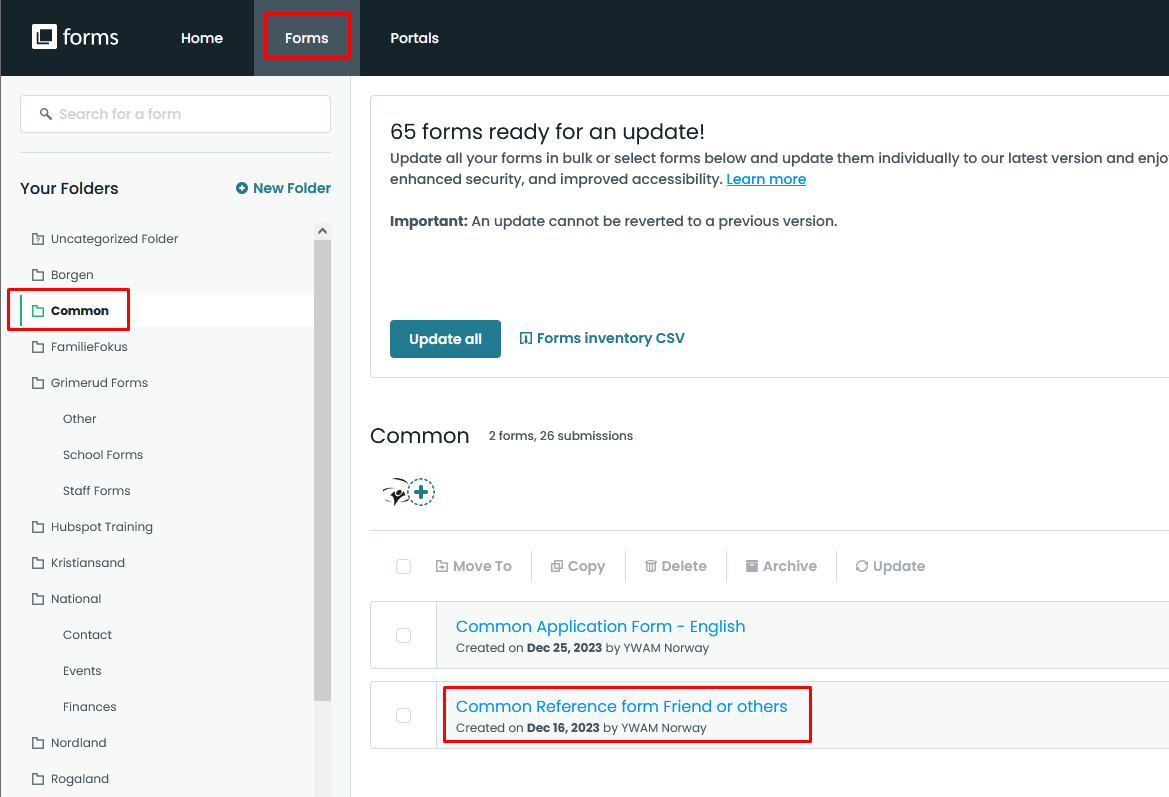
3. Find the reference form for the Applicant mentioned in the email you received.
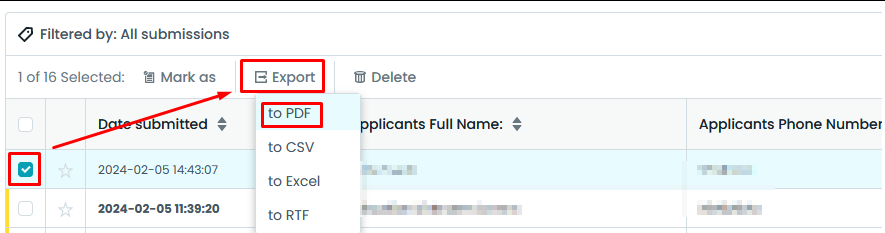
4. Mark the reference and click Export, select PDF.
5. Log in to HubSpot.
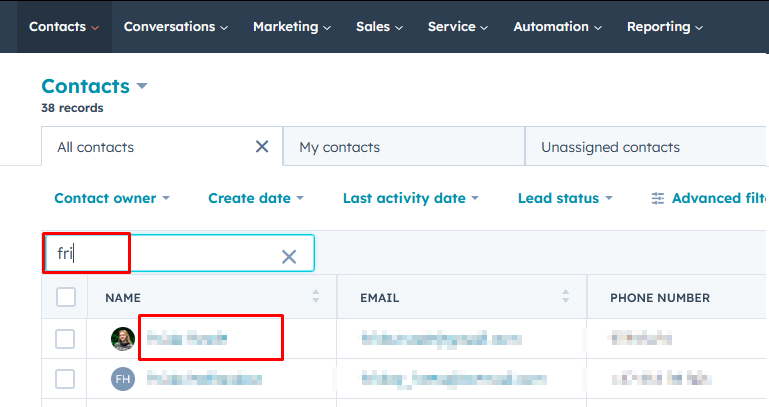
6. Find the Applicant under Contacts. Use the search bar. Click the name of the Applicant.
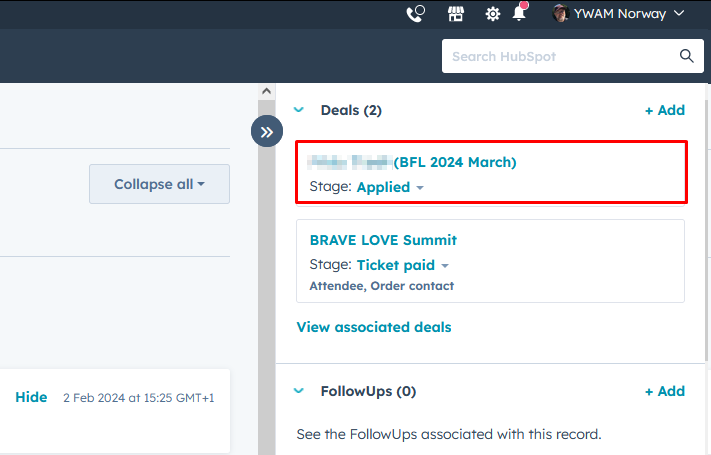
7. Find the Deal for the school. Click it to open.
8. Prepare for upload: Rename the downloaded PDF-document to the applicant name + Reference form.
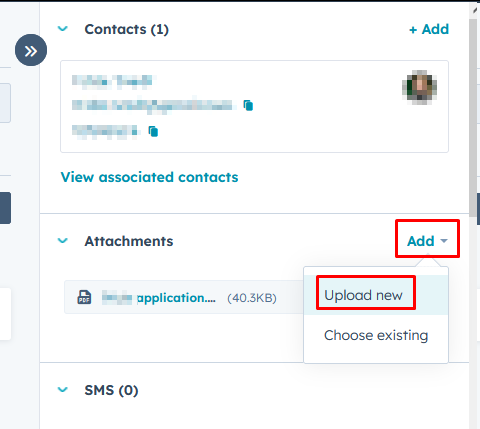
9. Upload the Reference form by clicking Add under Attachments on the right side of the Deal view.
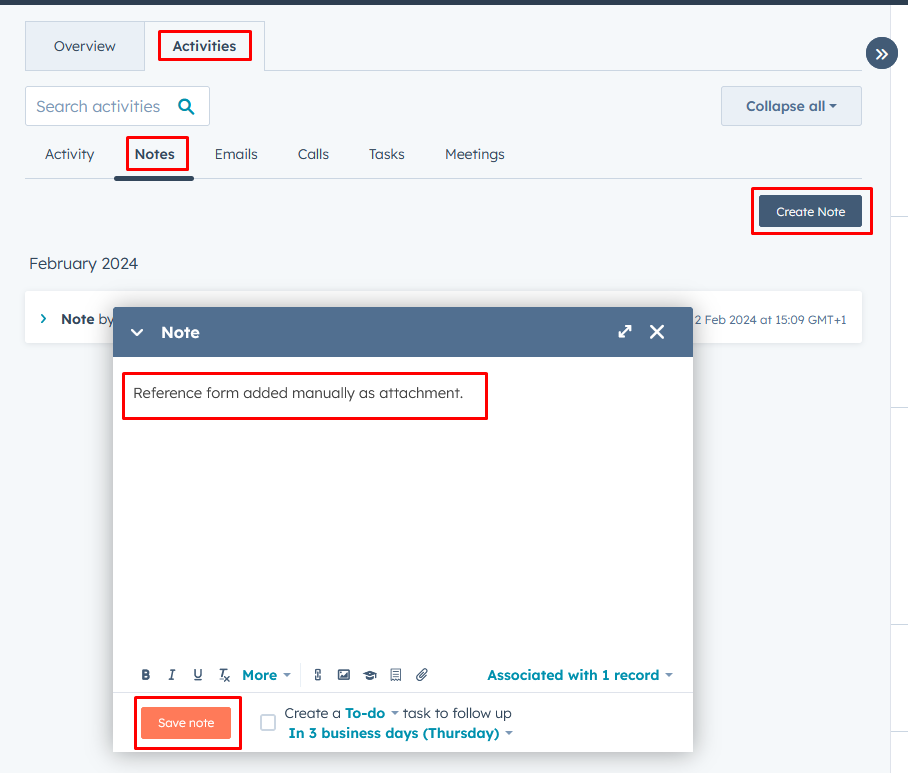
10. Add a note that the Reference form was manually uploaded.
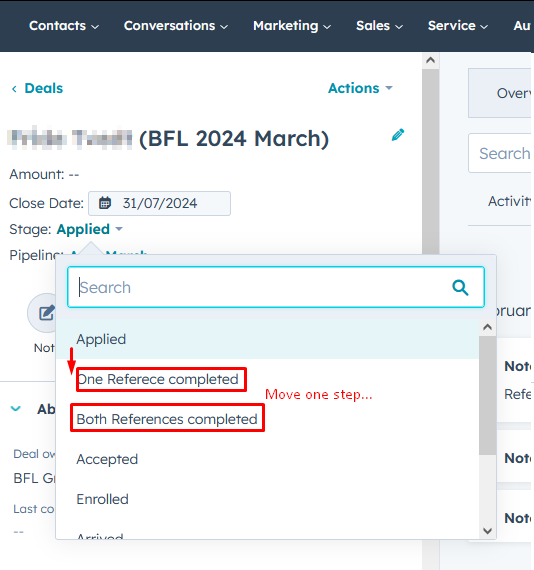
11. Update the progress by manually moving the application to the next step.
You're done :-)