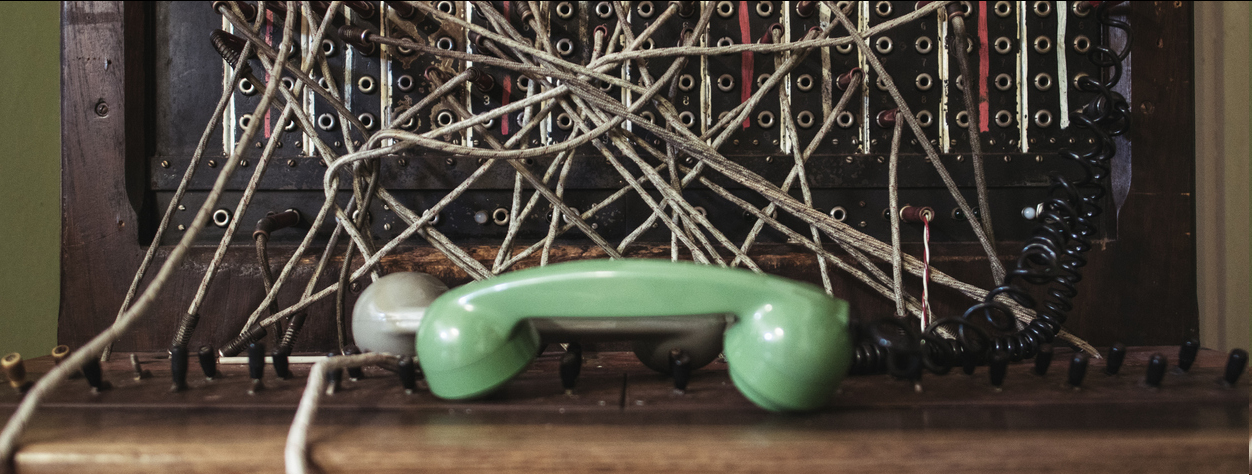
We don't use the old fasion switchboard anymore...
We use a digital cloud-based modern switchboard, and receive the calls directly in Teams.

This means that you will receive the calls on your phone (after logging in to Teams).
You don't need a subscription. All you need is Wi-Fi and Teams.
Important:
When someone calls, you still have to answer.
 Tip:
Tip:
Make a "rotation". Decide "phone hours". Decide who will man the phone at which times, so that you still get your off-time.
To enter/exit the "call queue", use the Phonero Bedriftsnett app.
Download the Phonero Bedriftsnett app here:


Find your Teams Voice Phone number
To log in to Phonero Bedriftsnett, you need your Teams Voice Phone number. You find this in Teams: Click "More", click the phone,
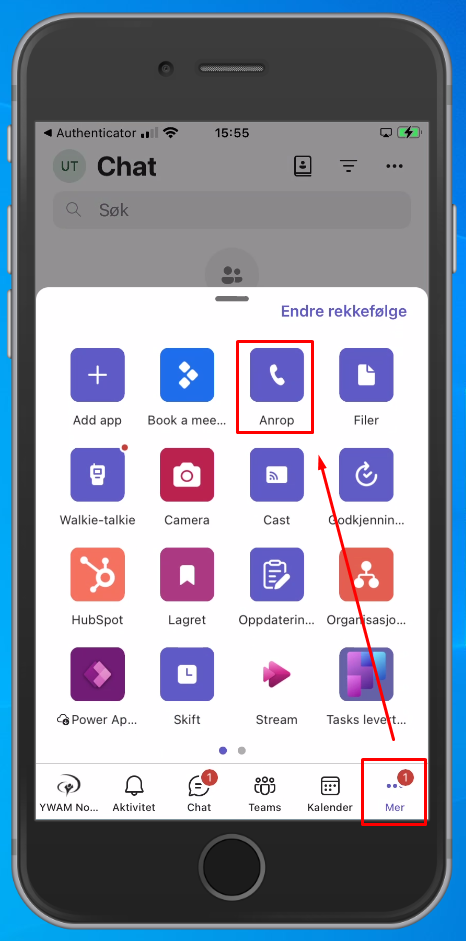
Click "New call"  Your phone number is displayed below the dial pad.
Log in to Phonero Bedriftsnett
Open the Bedriftsnett App and log in.
Your username is the phone number you have been assigned. (You should have received an email with number and password).

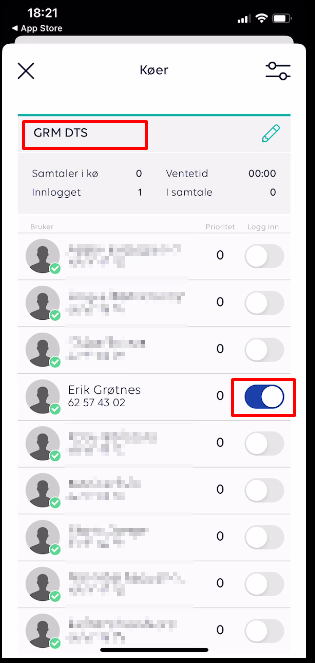
To add/remove yourself to the queue, click the "Køer" (Queues) button:
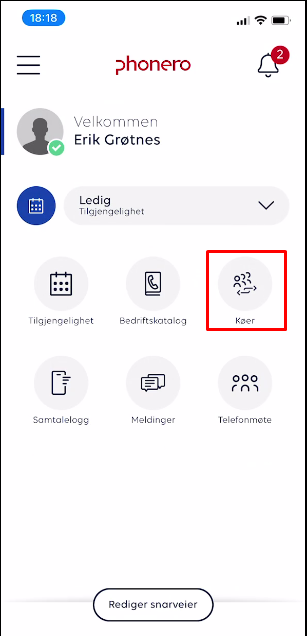
Click the queue name in the header to expand the list.
Find your name, and use the slider to enter/exit the queue.
 Golden rules:
Don't leave the queue if nobodey else is logged in.
Never log in someone else without them knowing.
Important: The free/busy options (availability) has no impact. That's just ment as information for those who sit and man the switchboard on a PC. As long as you're in the queue, your Teams will ring.
When you're manning the phone, be ready. Make someone's day :-)
YWAM Norway's main phone number: 62574300.
How to transfer a call
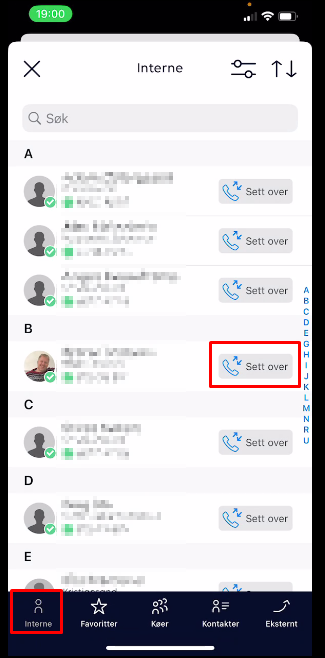
While in the call, open the Phonero Bedriftsnett app.
Click "Bedriftskatalog" (company directory).
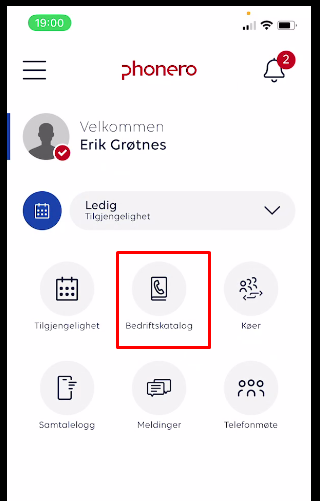
Click "Interne" to transfer to an internal YWAMer. Click "Sett over" (transfer) next to the person you want to transfer the call to.