The license "hierarchy" is built like this:
- Super Admins (should only be a few)
- Those who use licensed features (calling to a phone, and sending emails using templates)
- Everyone else
The "Everyone else" user can still do pretty much... Work with contacts, read and send emails, update Deals, etc.
To set up a user, you need to assign a permission set and add them to the correct teams.
We have set up the permission sets like this:
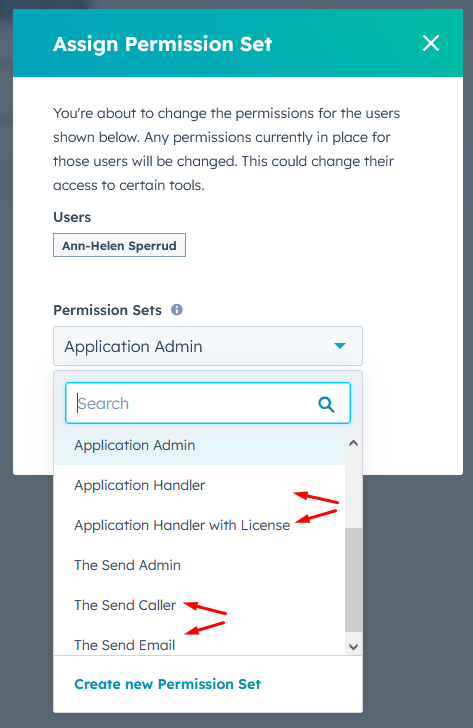
- Application Admin / The Send Admin (can create users and assign correct licenses)
- Application Handler with License / The Send Caller (these two are licensed users)
- Application Handler / The Send Email (these two are unlicensed users)
The "Team Leader" will have the Admin license, and can move staff between different permission sets to assign the paid license.
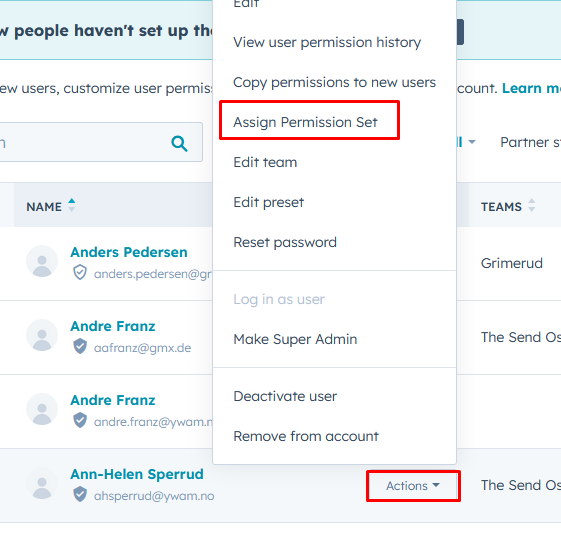
Choose the appropriate permission set.
To set the rest of the rights, assign the correct Team and "preset".
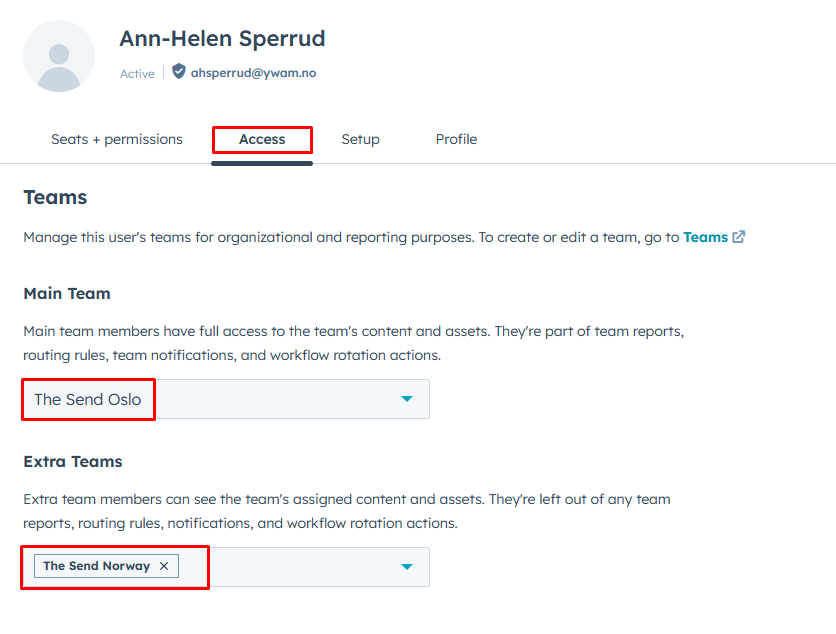
For The Send, select the main team where they work in the call center, and add "The Send Norway" as extra teams.
For Application handlers, select the school or base, and set the base as extra team.
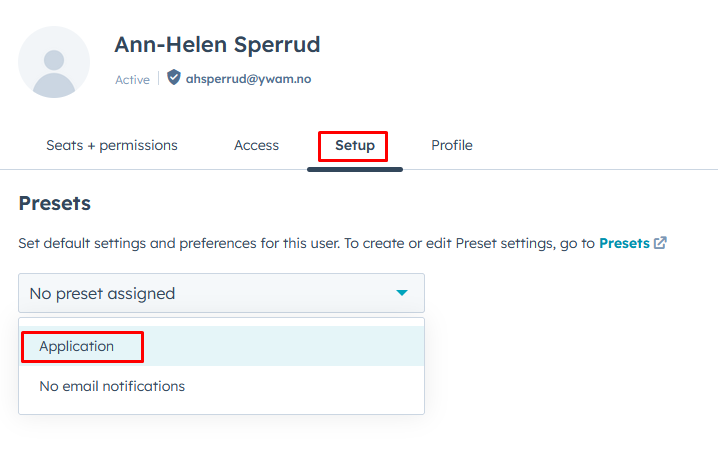
For the "Preset", select "Application".