
Some staff needs access to the "full" Office Apps (Outlook, Excel, Word, etc). The Apps have more functionality than the online versions (and is therefore also more expensive).
Be adviced: Most bases have computers for common use in common areas, accessible for all staff. These computers often have a multi-user installation of the office apps, and does not need you to have a full license, nor to install office again on them. (Contact local IT personnell if in doubt).
This also goes the other way: The version of Office that you can dowload yourself is personal and is not allowed to install on a shared computer - it might even not work well.
To download the full version of Office, go to https://m365.cloud.microsoft/ and log in.
Click Apps -> All apps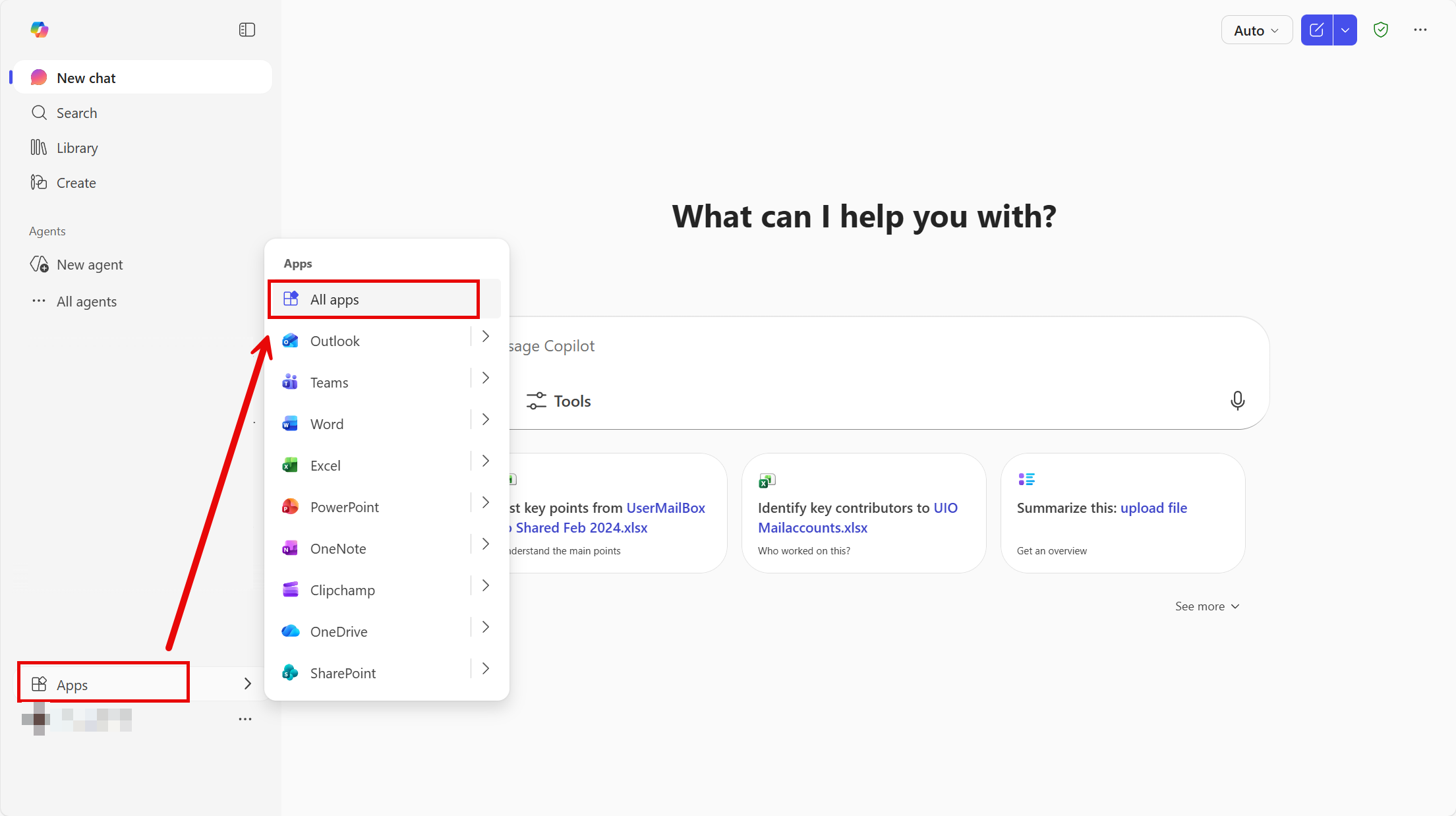
Then, Install and select Microsoft 365 apps.
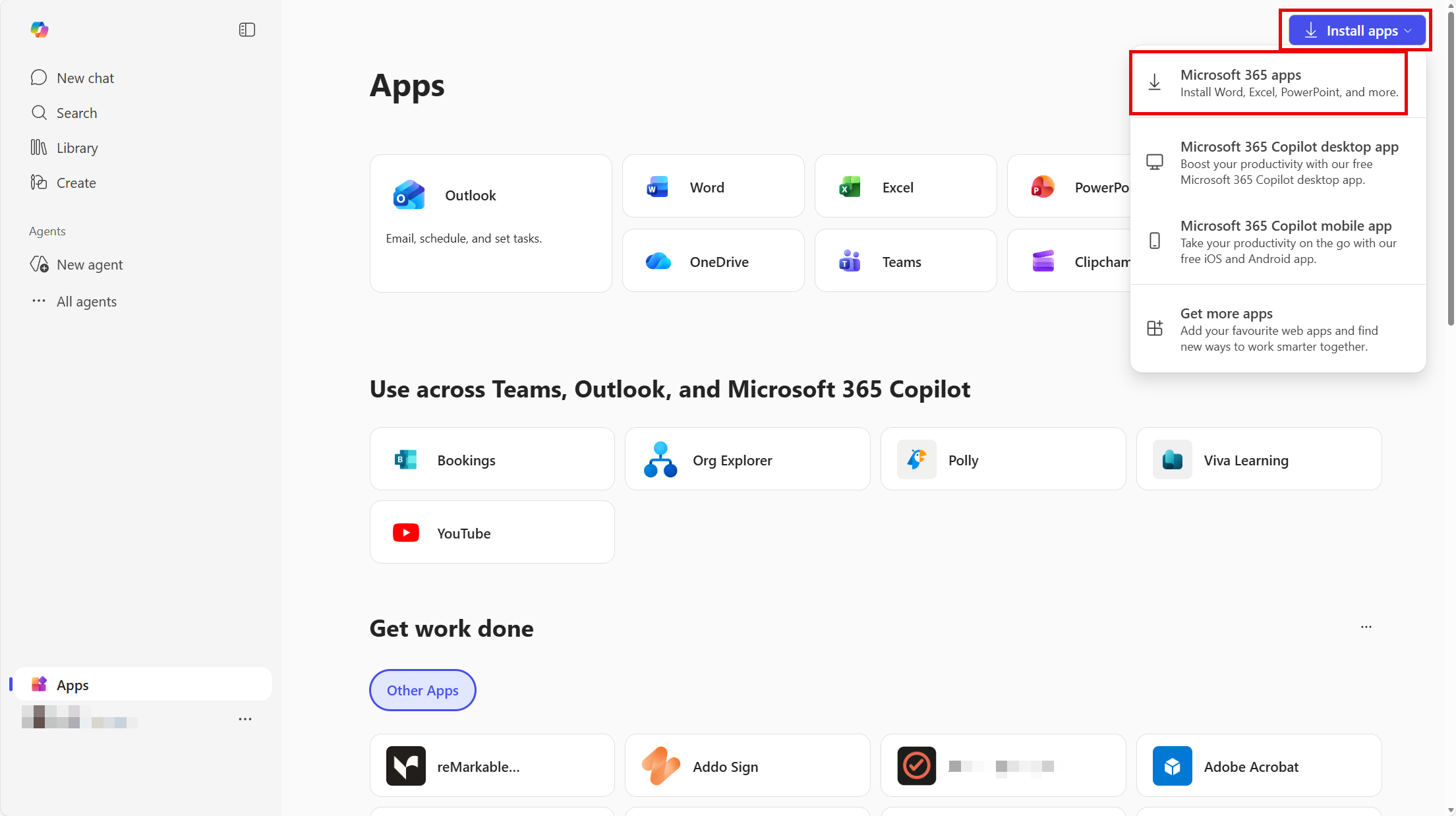
When you click the download button, an install-file "OfficeSetup" is downloaded. Run this file, and the office pack will start installing.