This guide no longer applies, since HubSpot has changed the licensing to View-only, core and sales enterprise, which makes everything different from how it looks in this guide.
An Application Admin can create Application Handler accounts.
1. Log in to HubSpot.
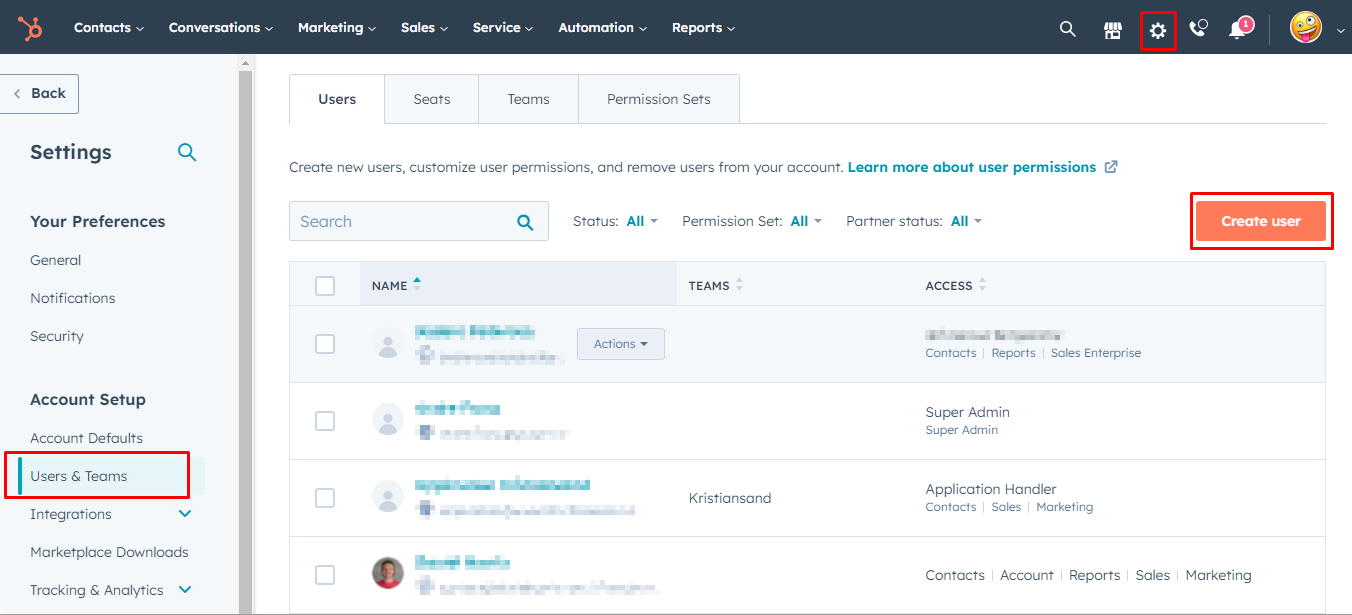
2. Click the settings cog on the top-right menu, go to the Users & Teams section on the left menu. Click Create user.
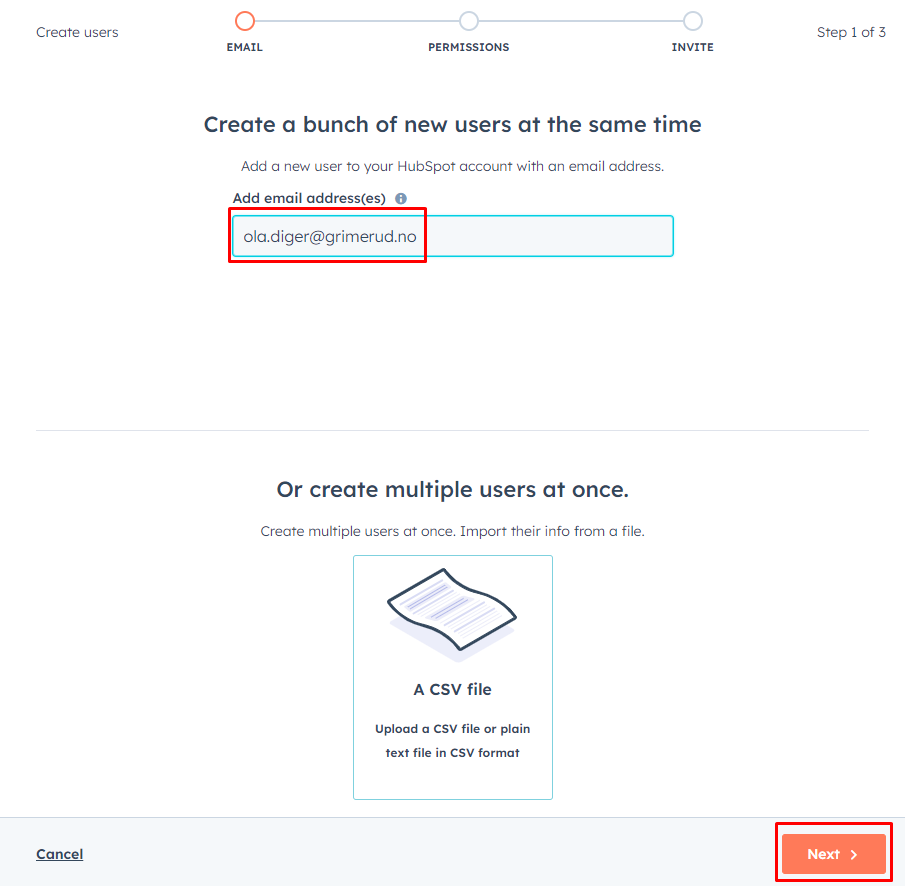
3. Enter the email address for the new staff. Use the official YWAM address. Any Gmail, HotMail or other address will not work. (If you are goin to enroll multiple new staff, you can use a .csv file. Create headers, and keep all their emails in one row.)
4. Select Use a saved Permission Set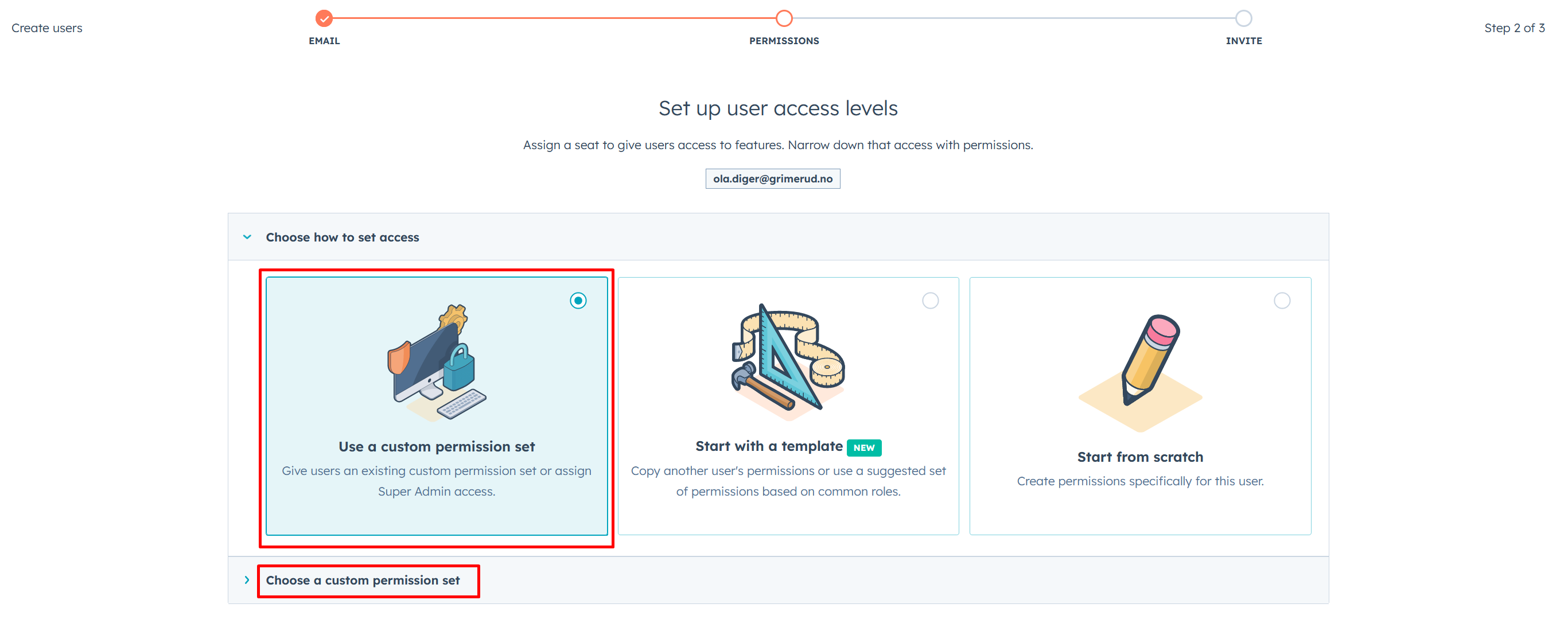
5. Select Application Handler permission set.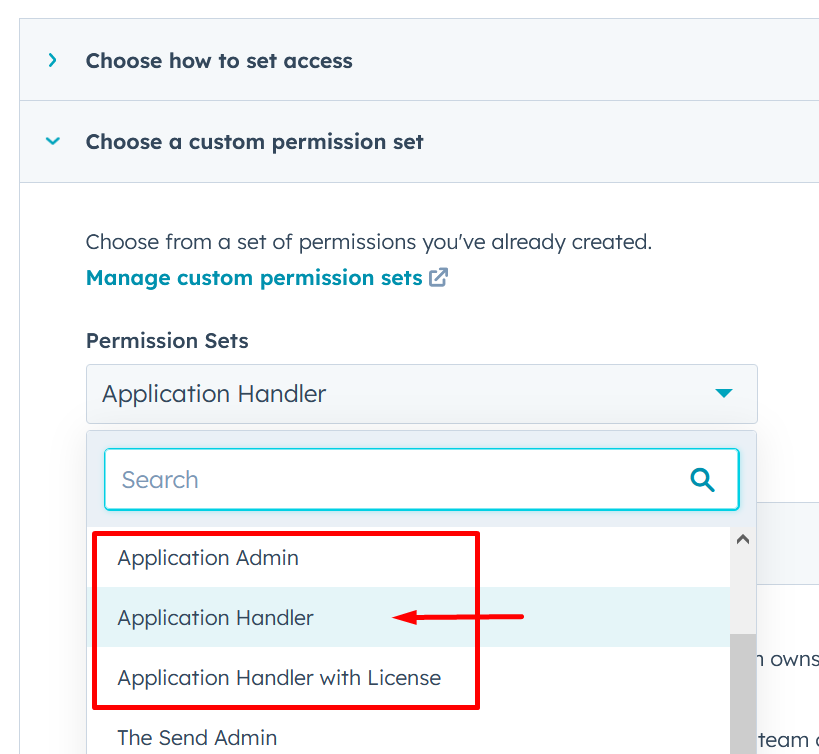
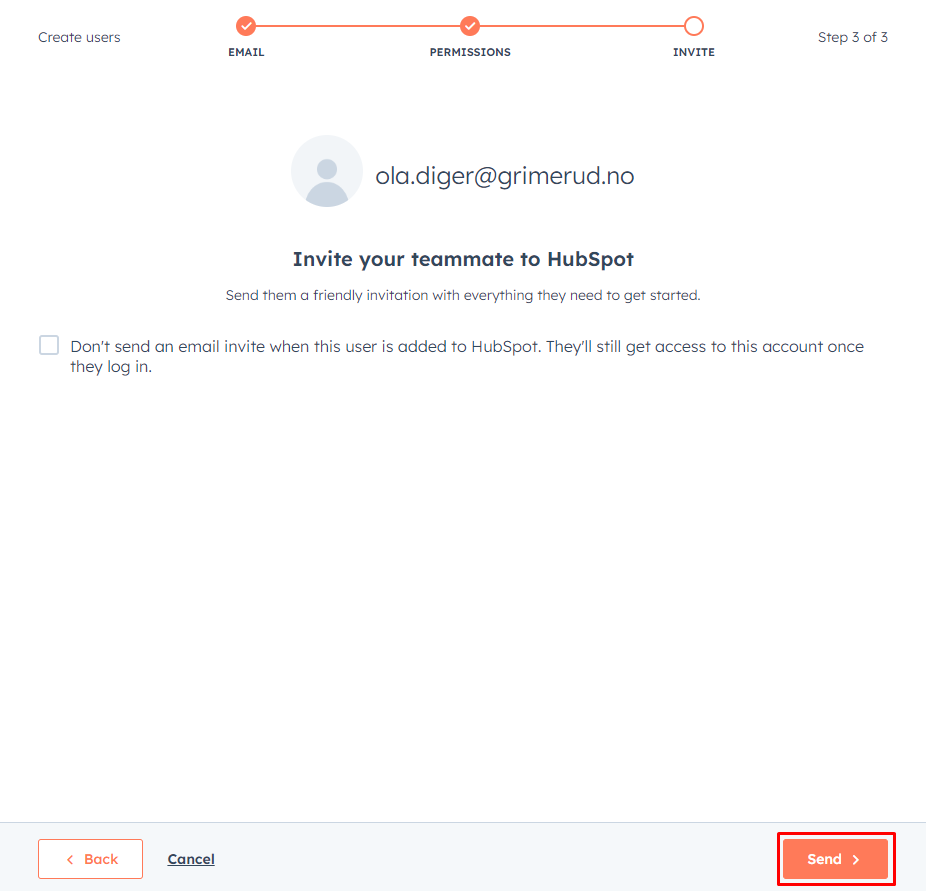
6. Click Send to sent the invitation email.
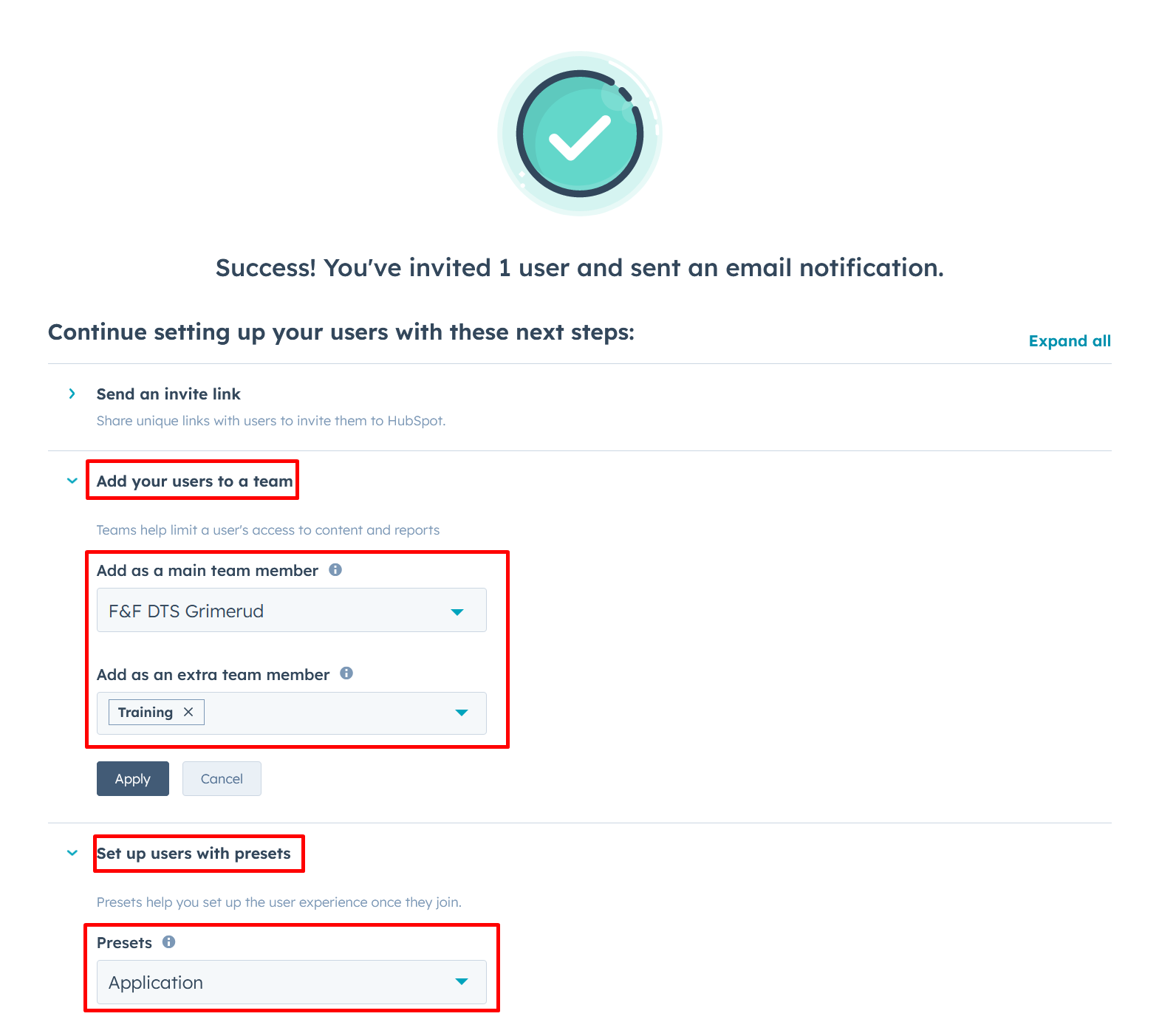
7. Add the Team: You should select the DTS team for the user. If the base does not have a DTS team, select the Base.
Always add "Training" as extra team. Set Preset to Application.
You're now done...
The next step is when the new user receives the invite link and Activates the new user.